
Strengthen Sahara’s business model and streamline task management by transitioning to user-initiated tasks.
#Sahara AI #Task Creation #English Platform
Scope
Let requester customize tasks based on their own requirements, so they can independently manage data service tasks, including uploading annotated data, setting quality requirements, defining budgets, tracking progress, and retrieving results.
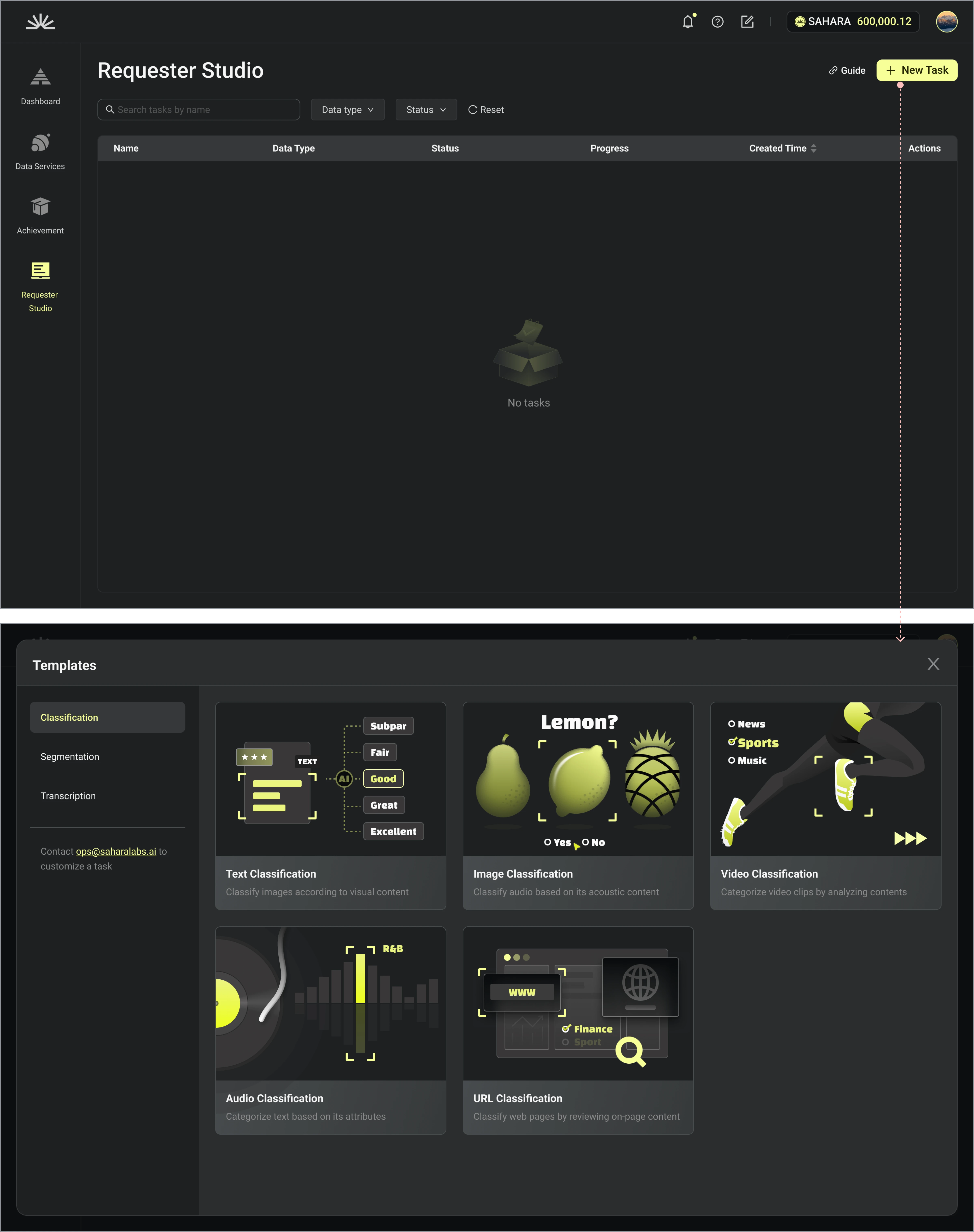
Use Case 1: As a requester, I need to choose a decent template for my labeling projects , then start to add task details
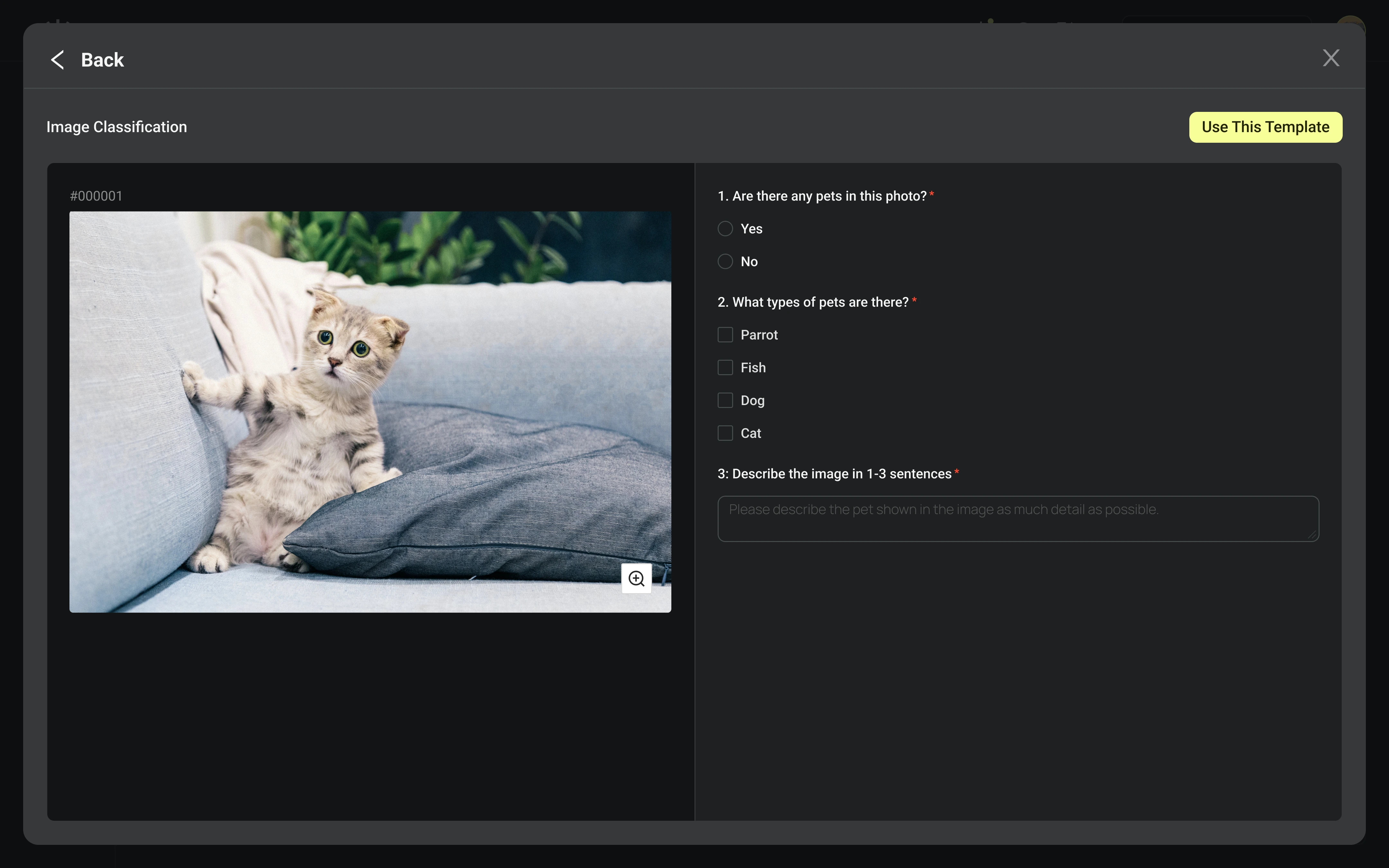
Preview Template
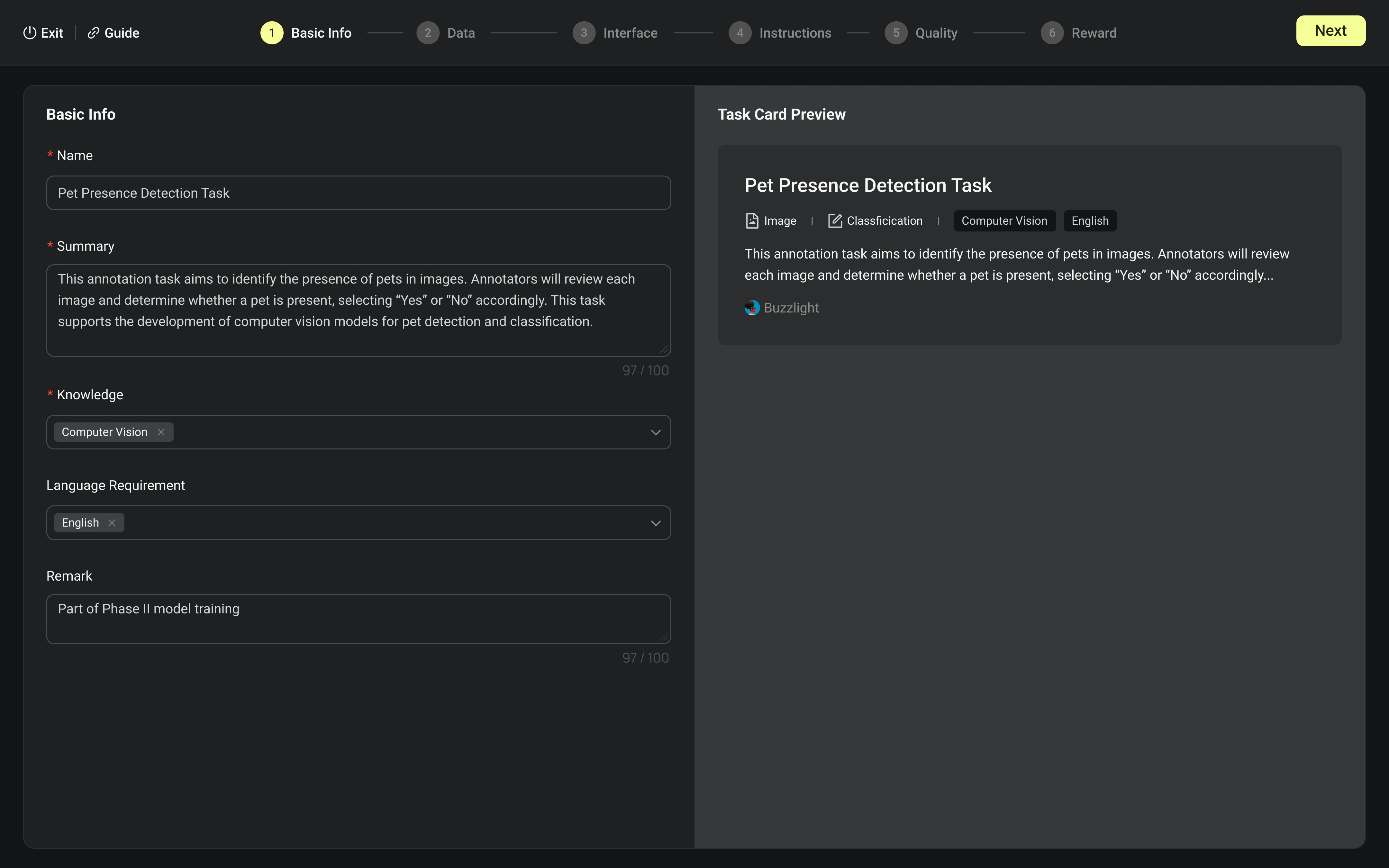
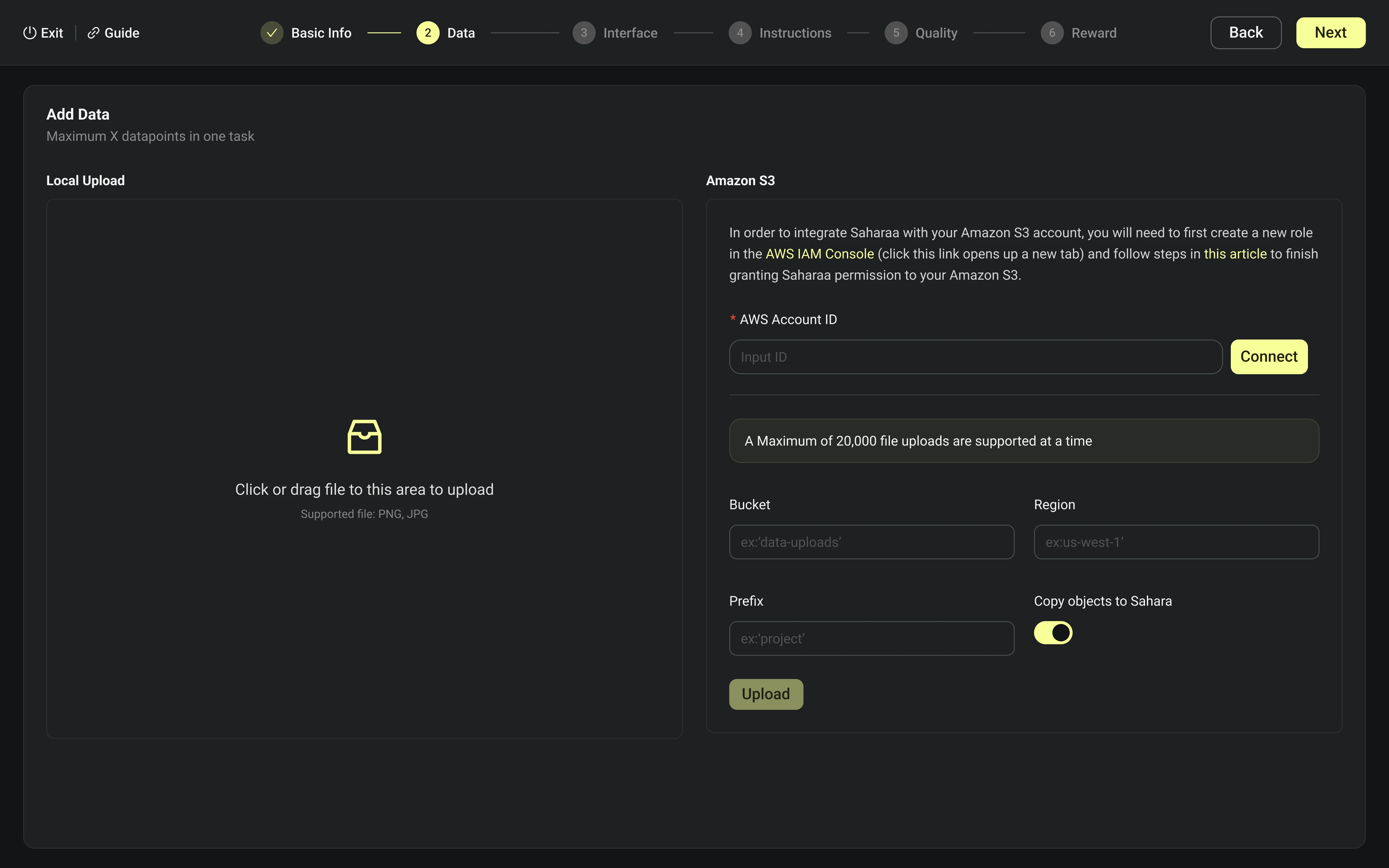
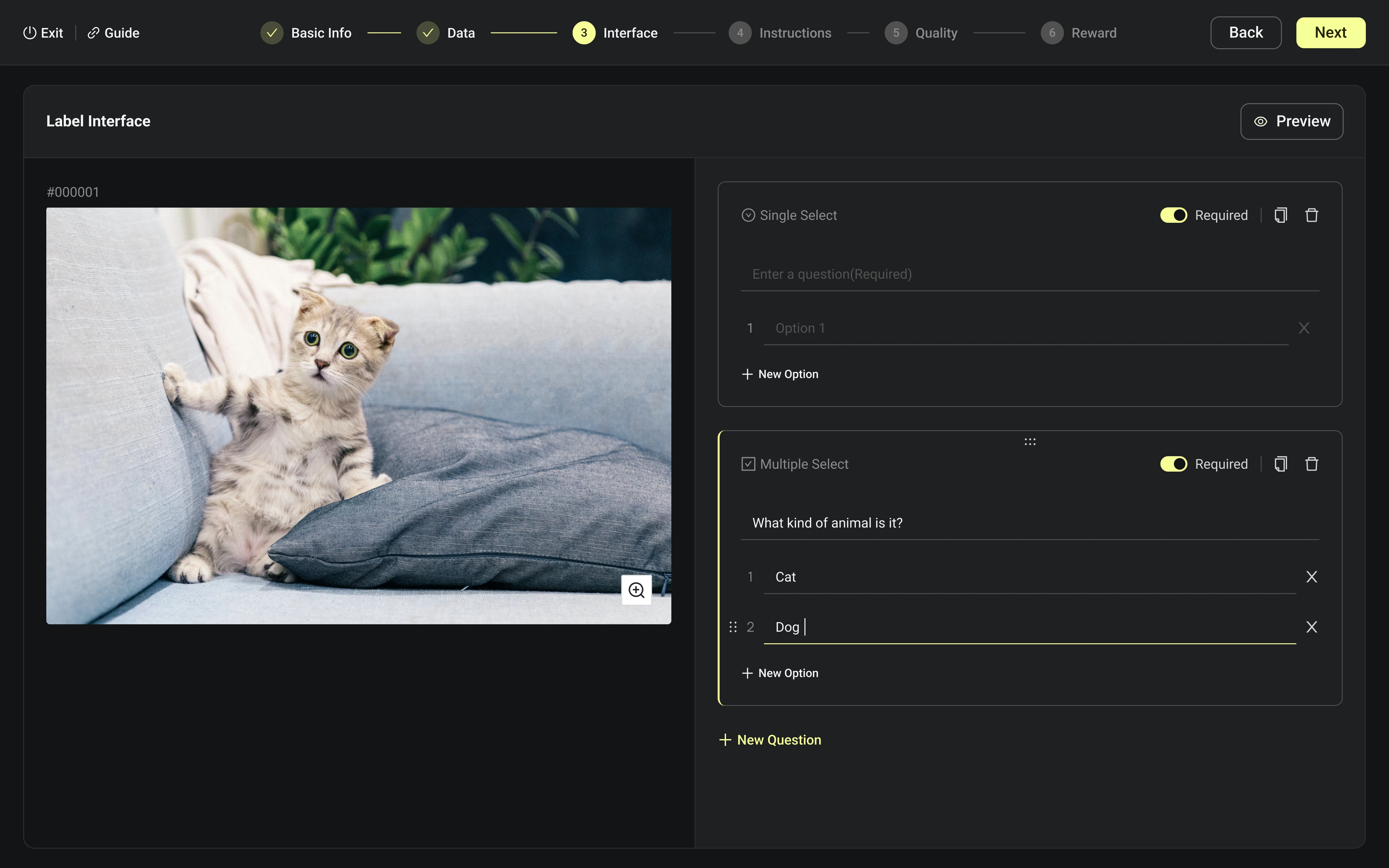
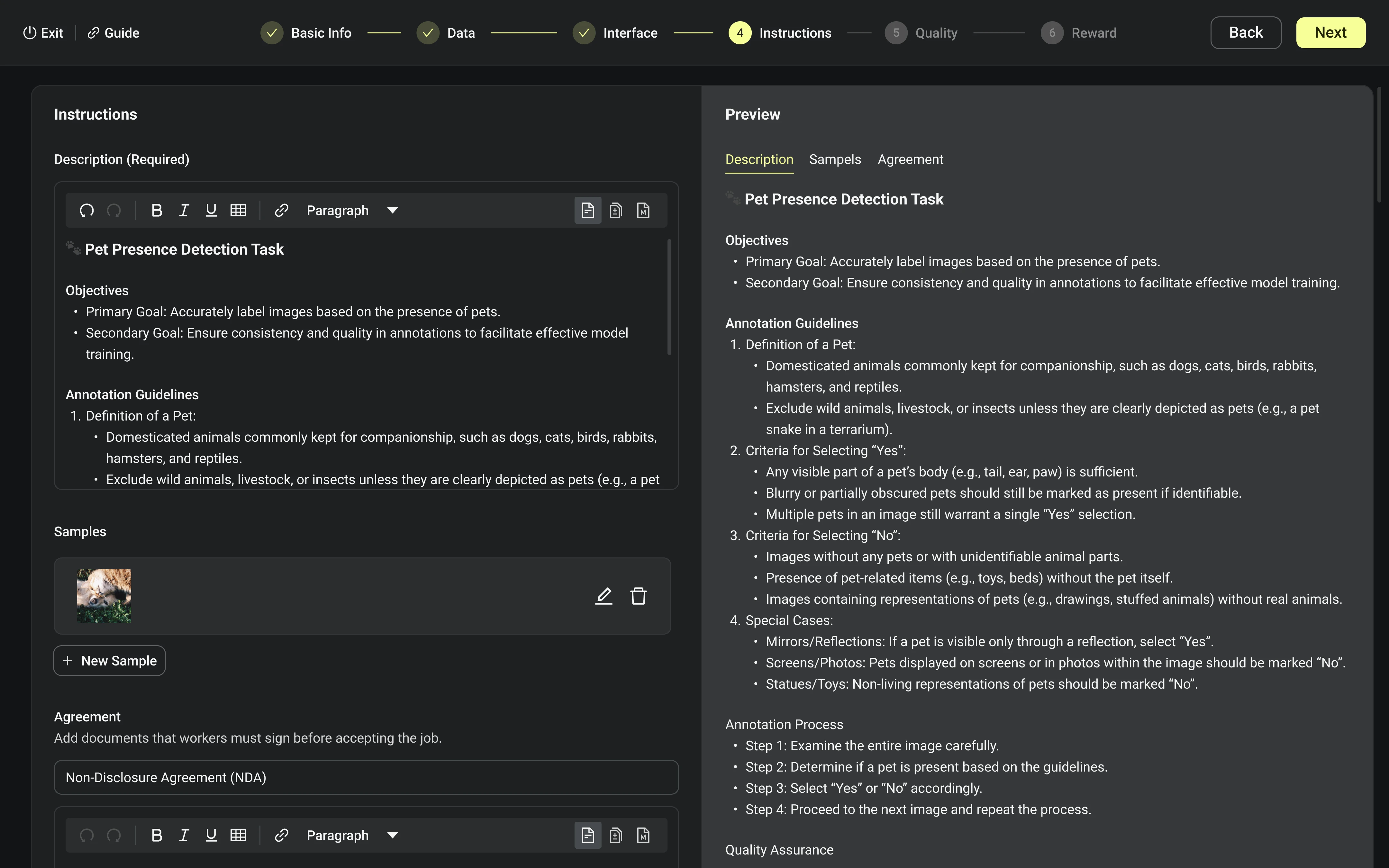
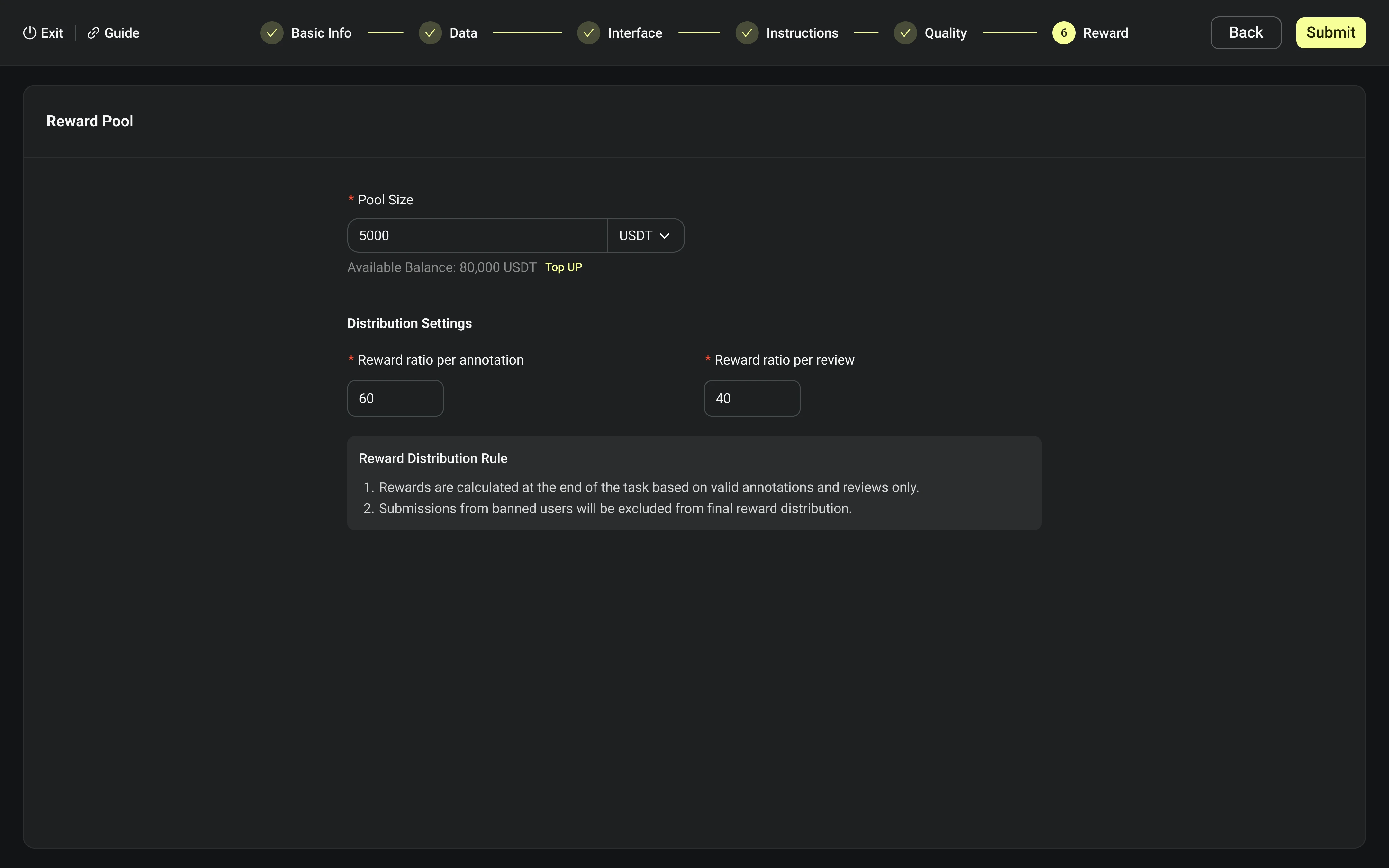
Use Case 2: As a requester, I need to finish in total 6 steps settings, they are setting basic info, uploading raw datas, designing label interface, writing instructions, set quality threshold, and adding a reward pool.
Set Basic Info
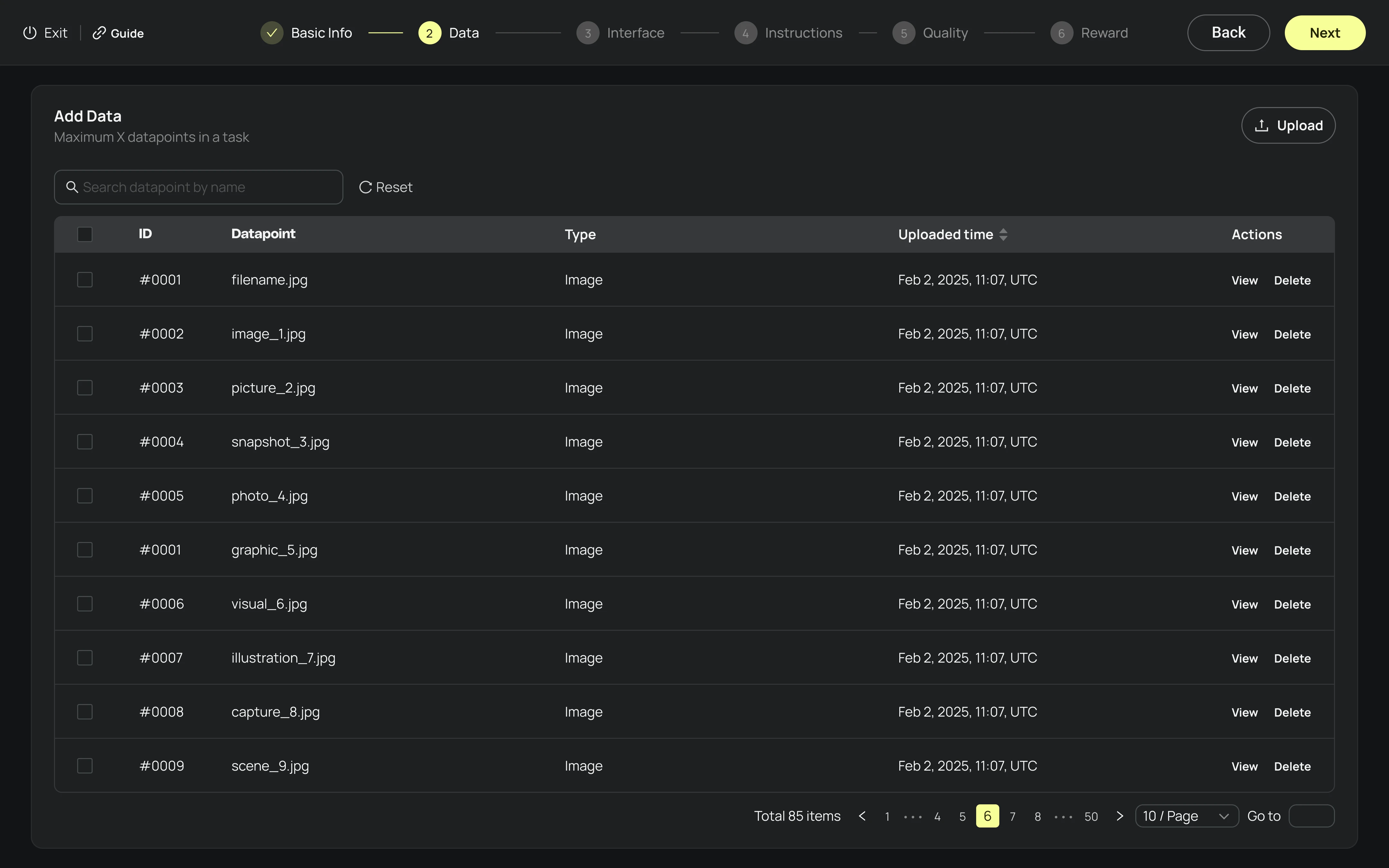
Upload Raw Data
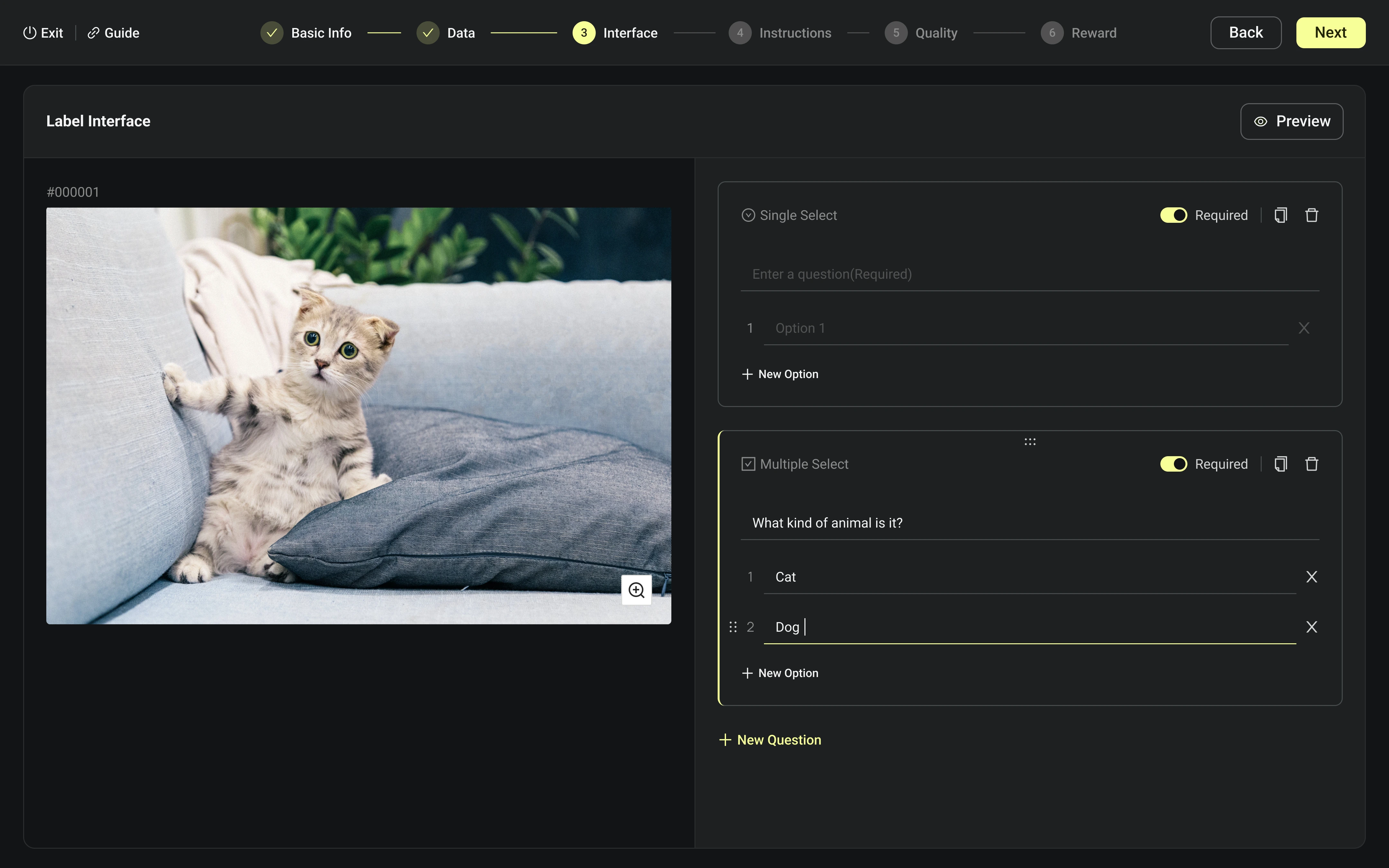
Design Labeling Interface
Write Instructions
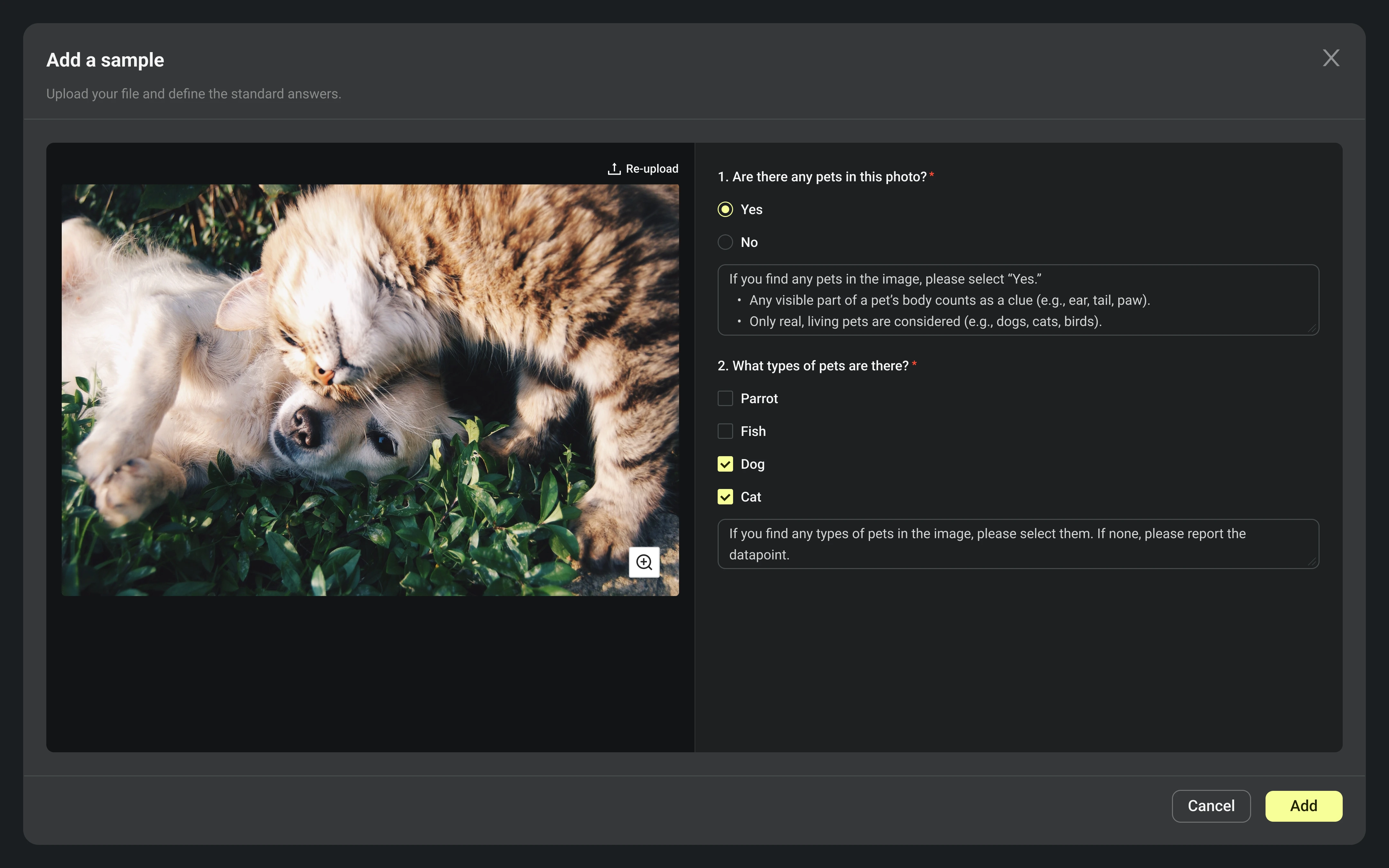
New Sample
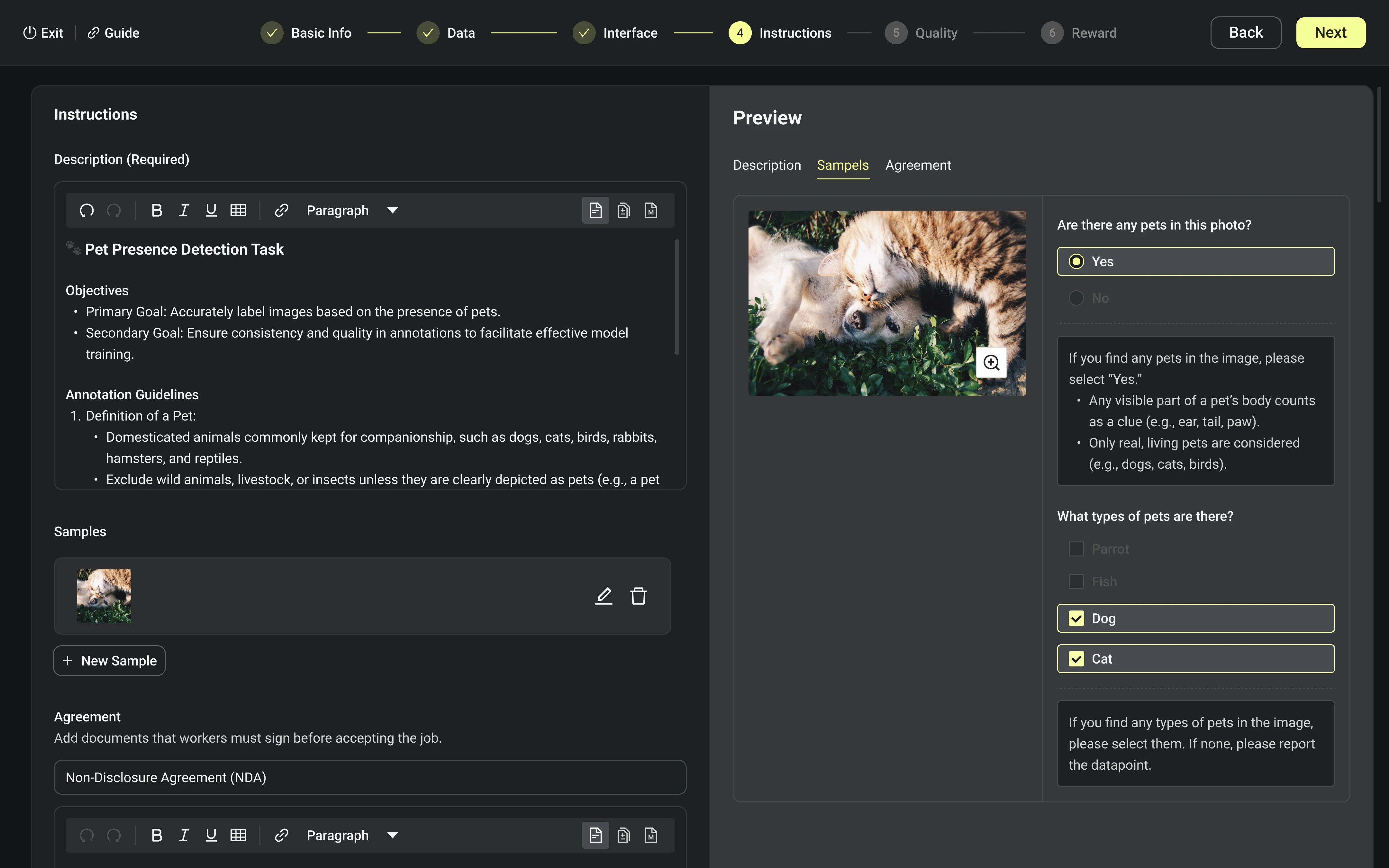
Preview Samples
Set Quality Threshold
Add a Reward Pool
Submit for Review
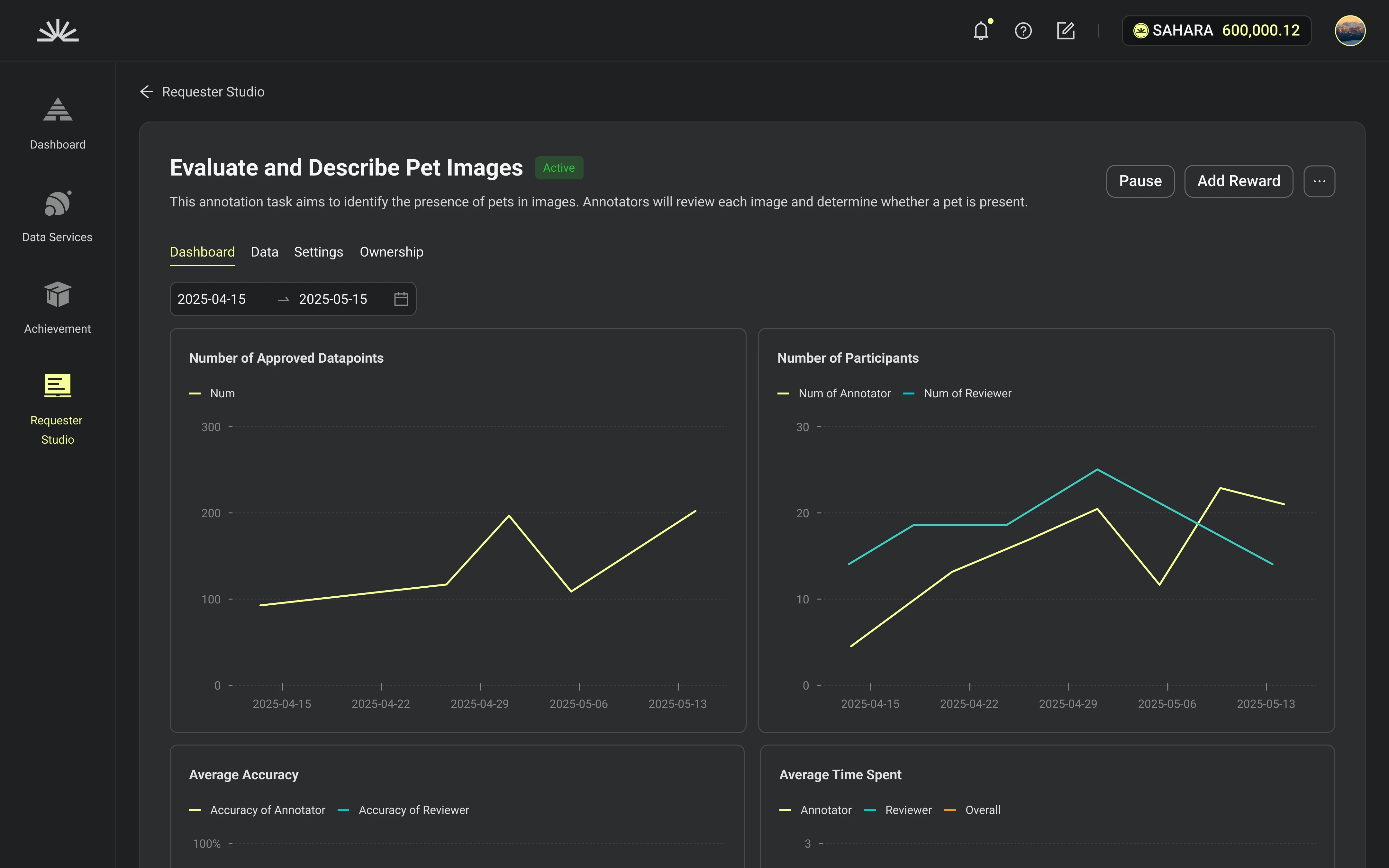
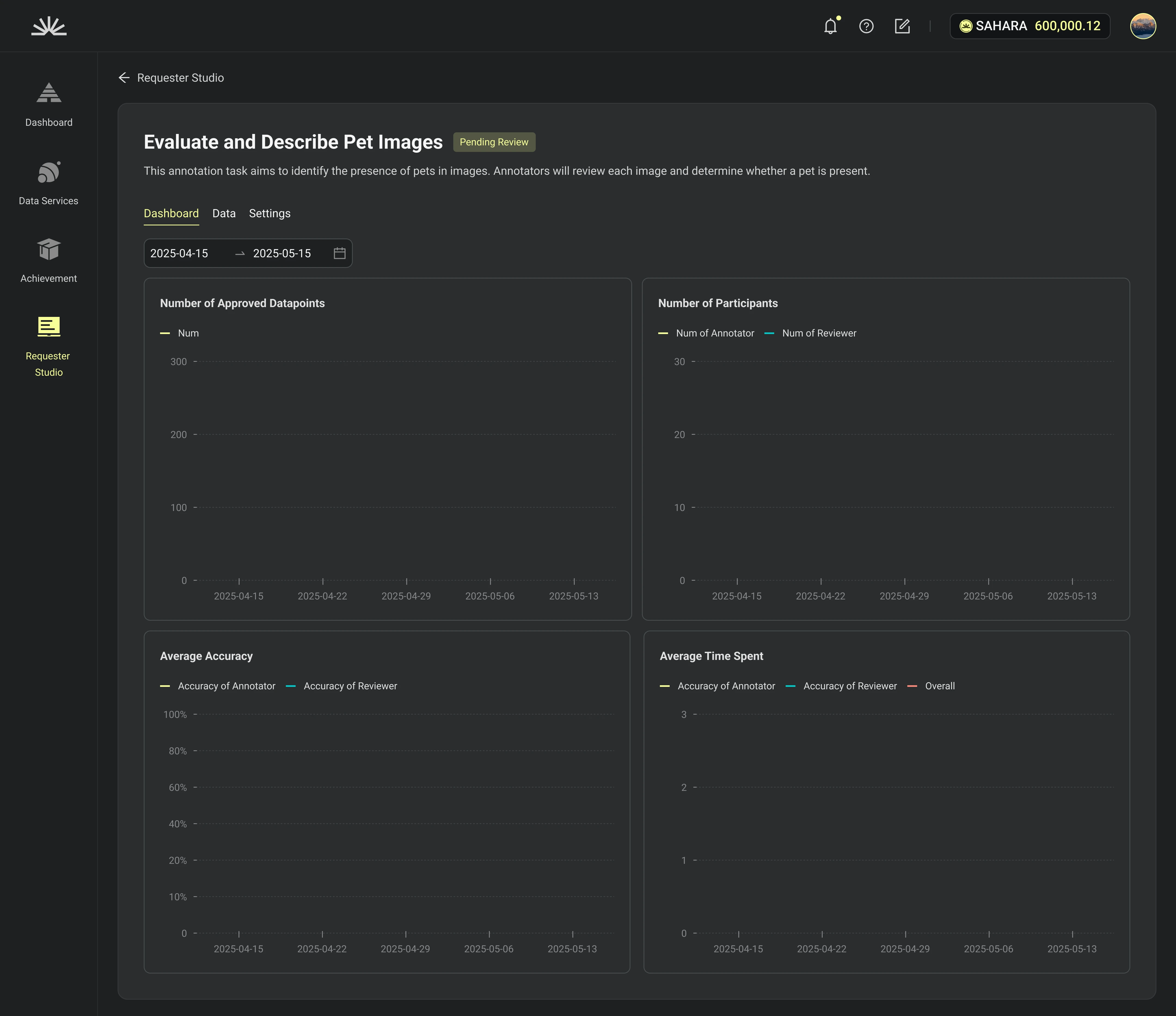
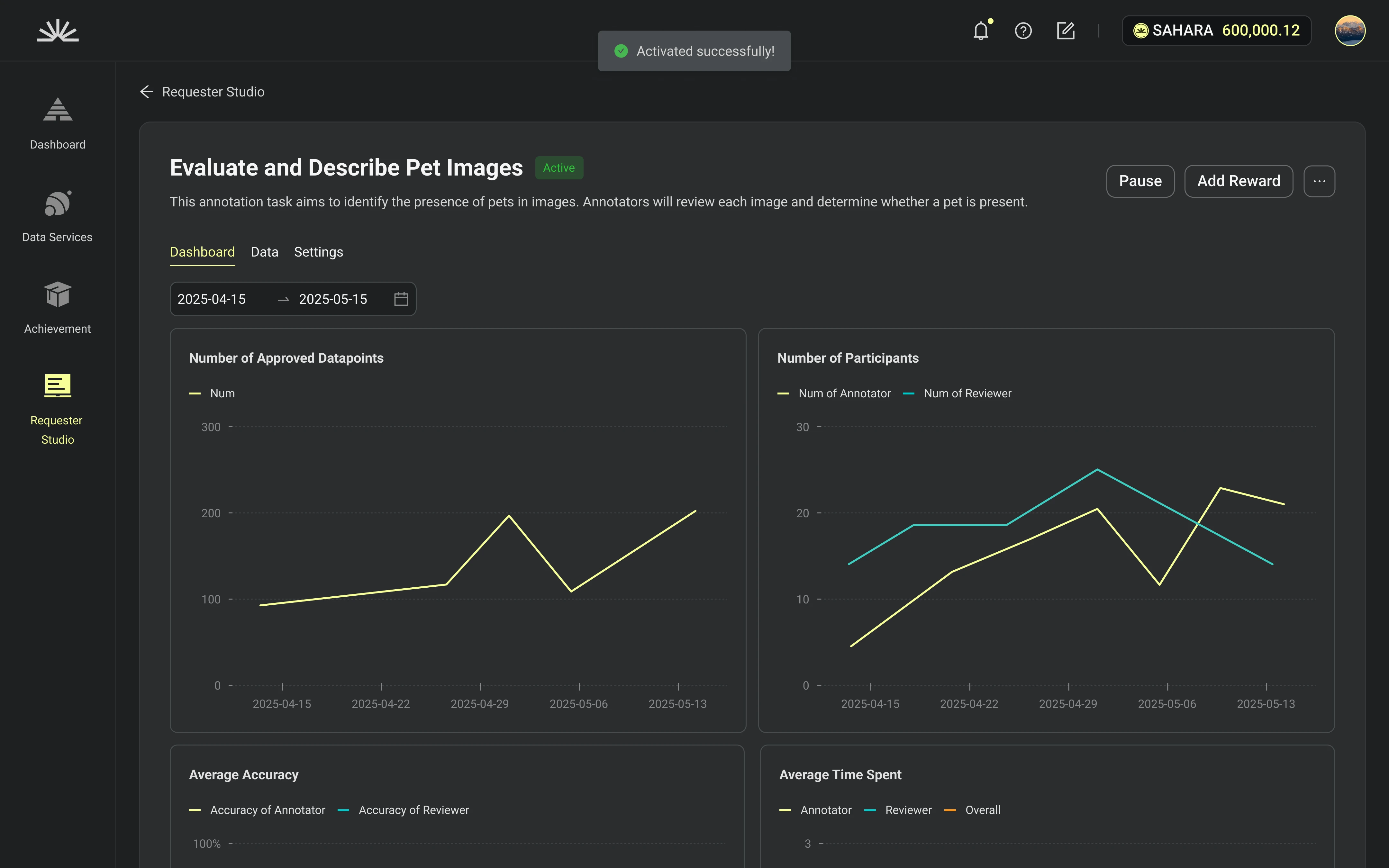
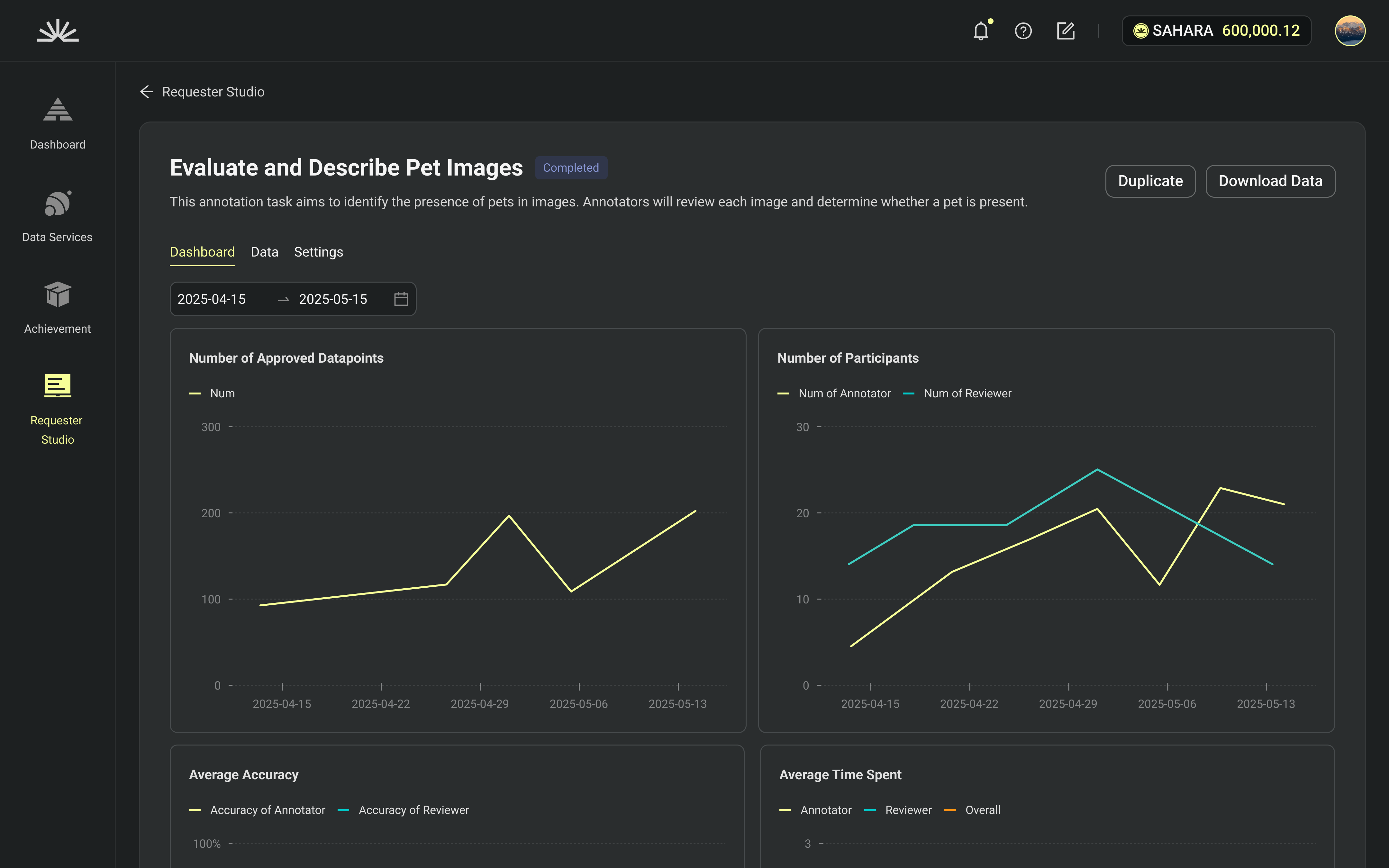
Detail Page, Tab is Dashboard.
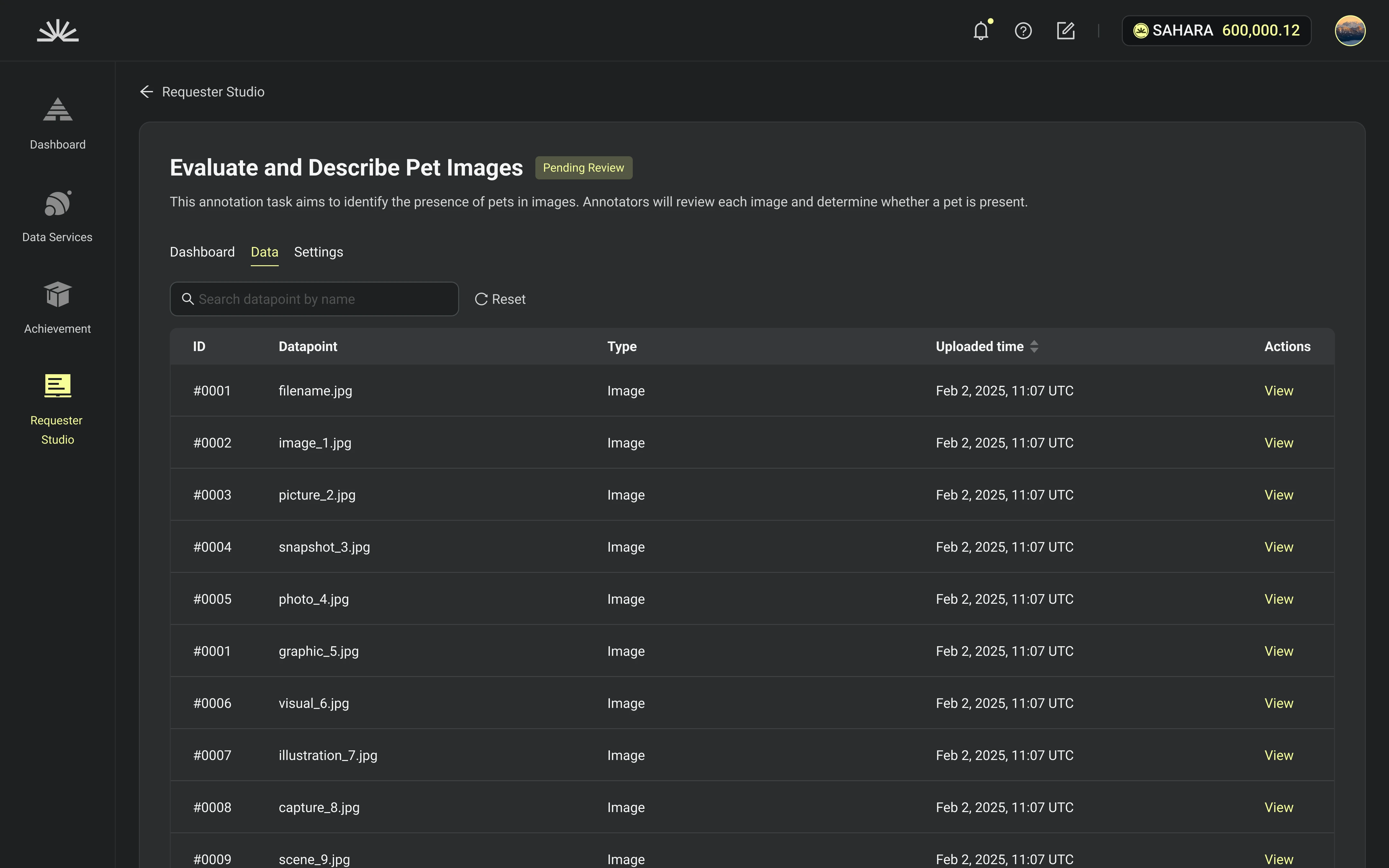
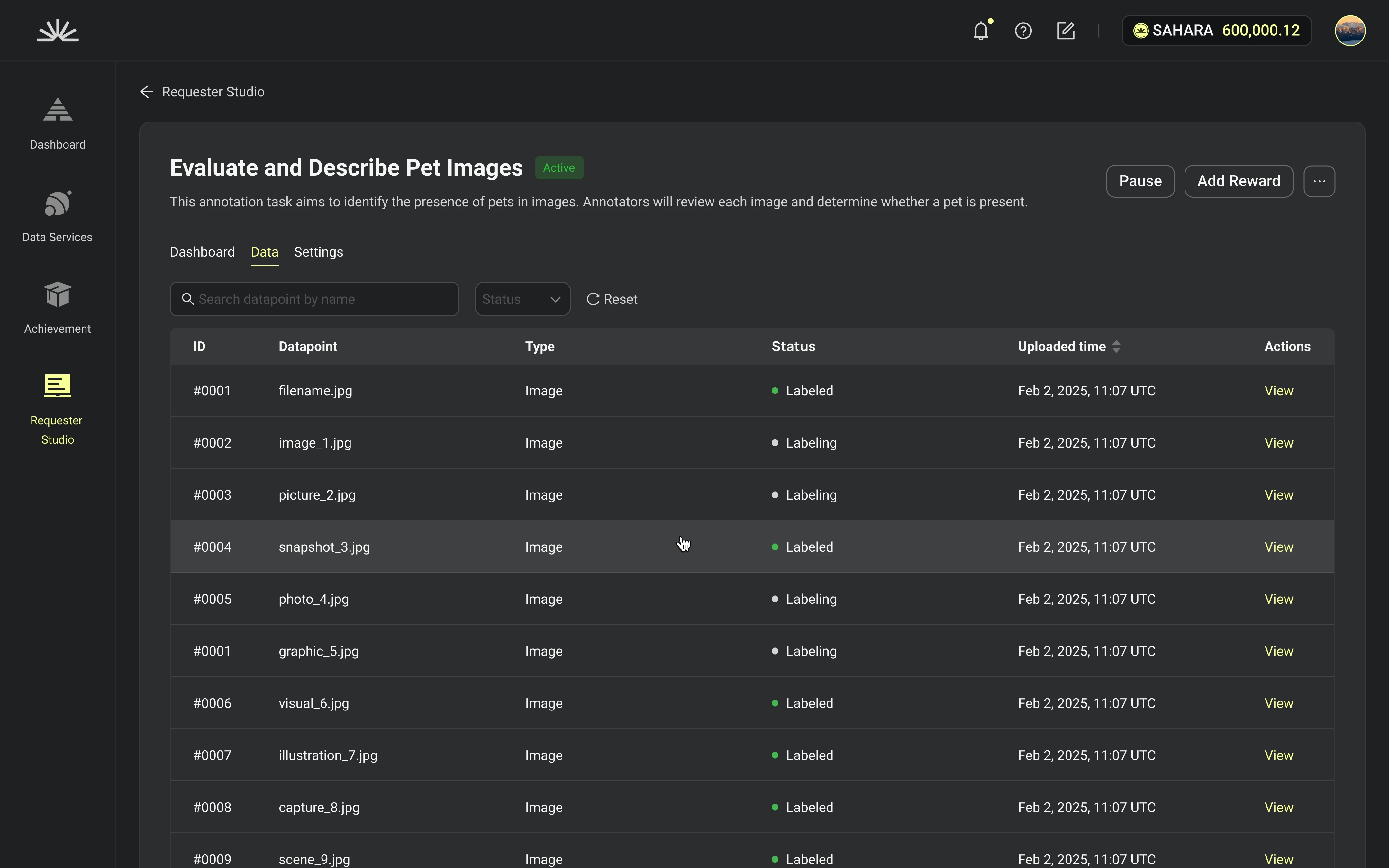
Tab = Data
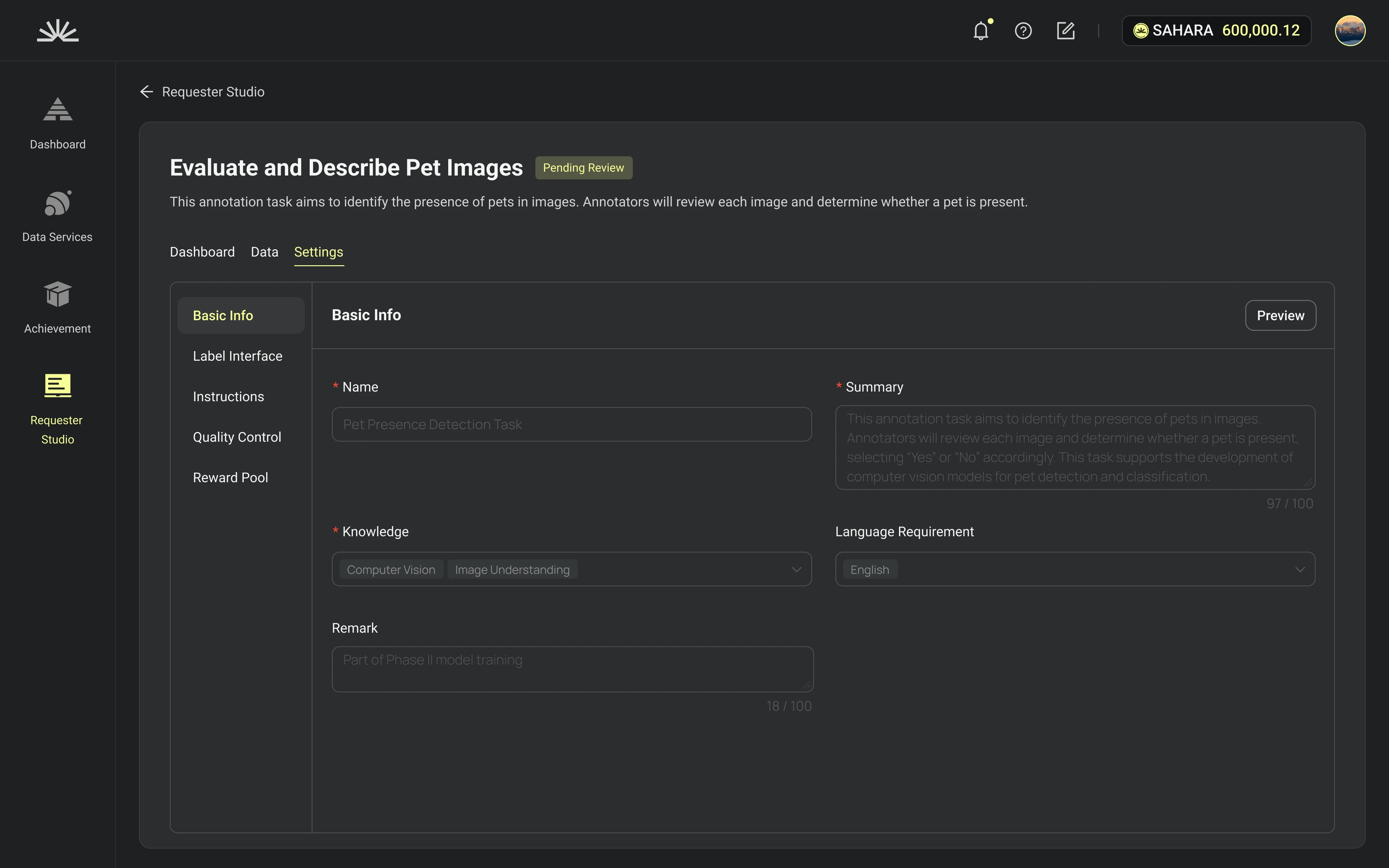
Tab = Settings
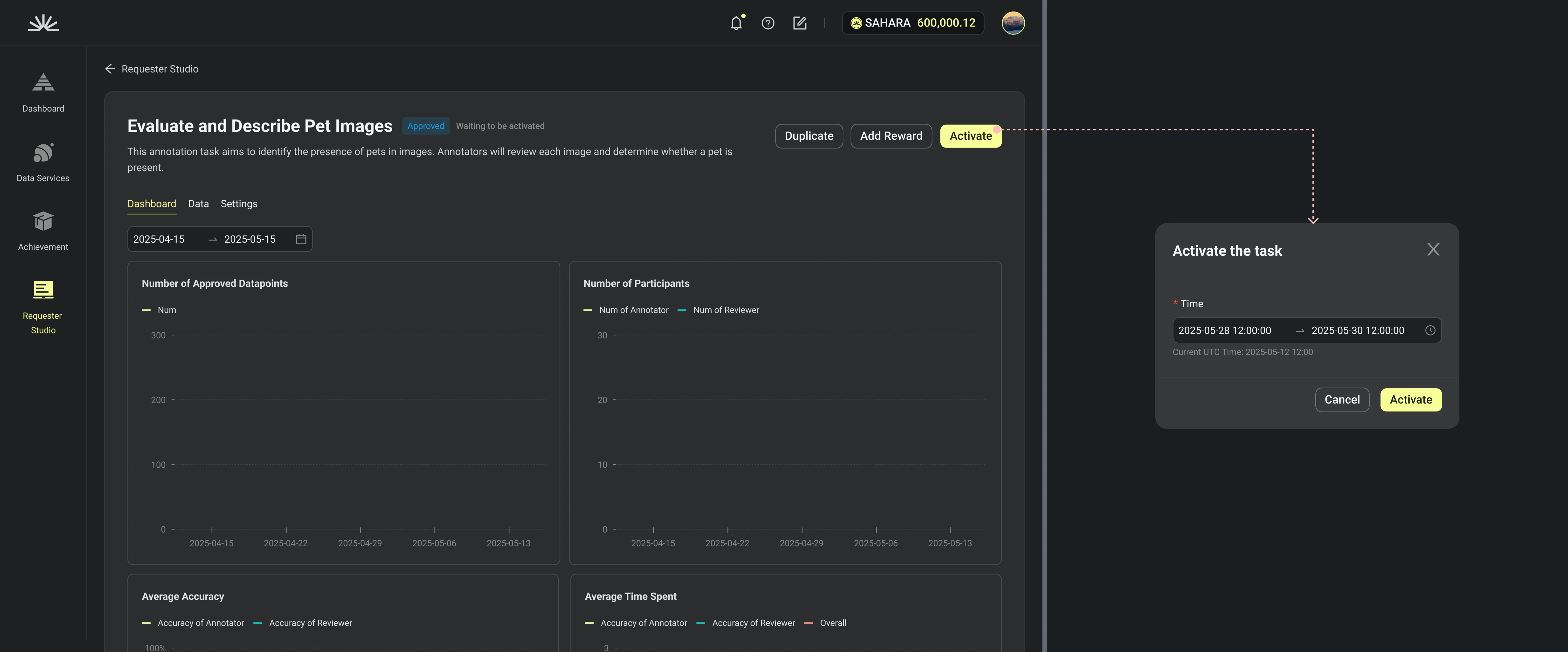
Use Case 3: As a requester, I need to set a time range to activate the task.
Set the time range
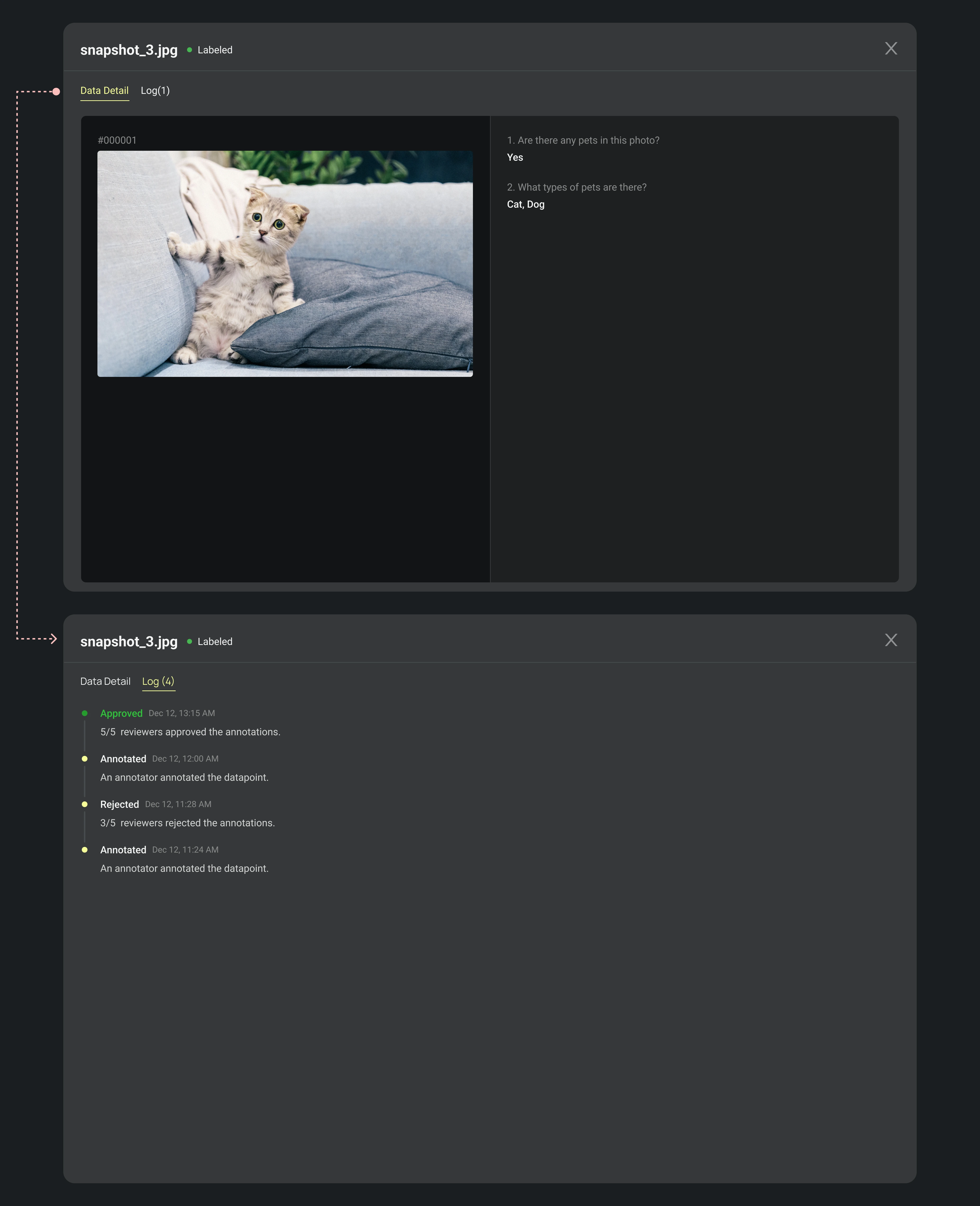
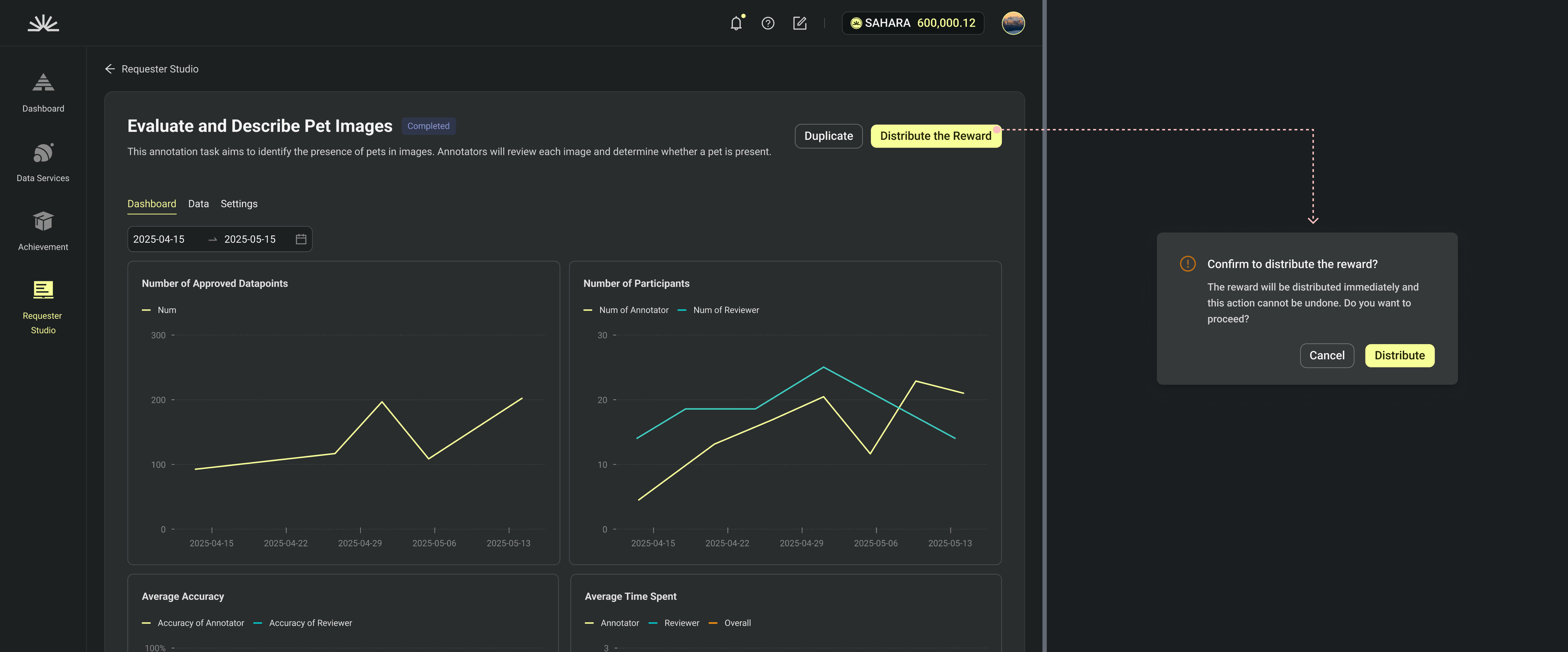
Use Case 4: As a requester, I want to preview some completed datapoints, then distribute the reward pool.
Preview a labeled datapoint
Double confirm with the requester before distributing the final reward.
Once the reward pool is distributed, requester can download the labeled data.
Design Research
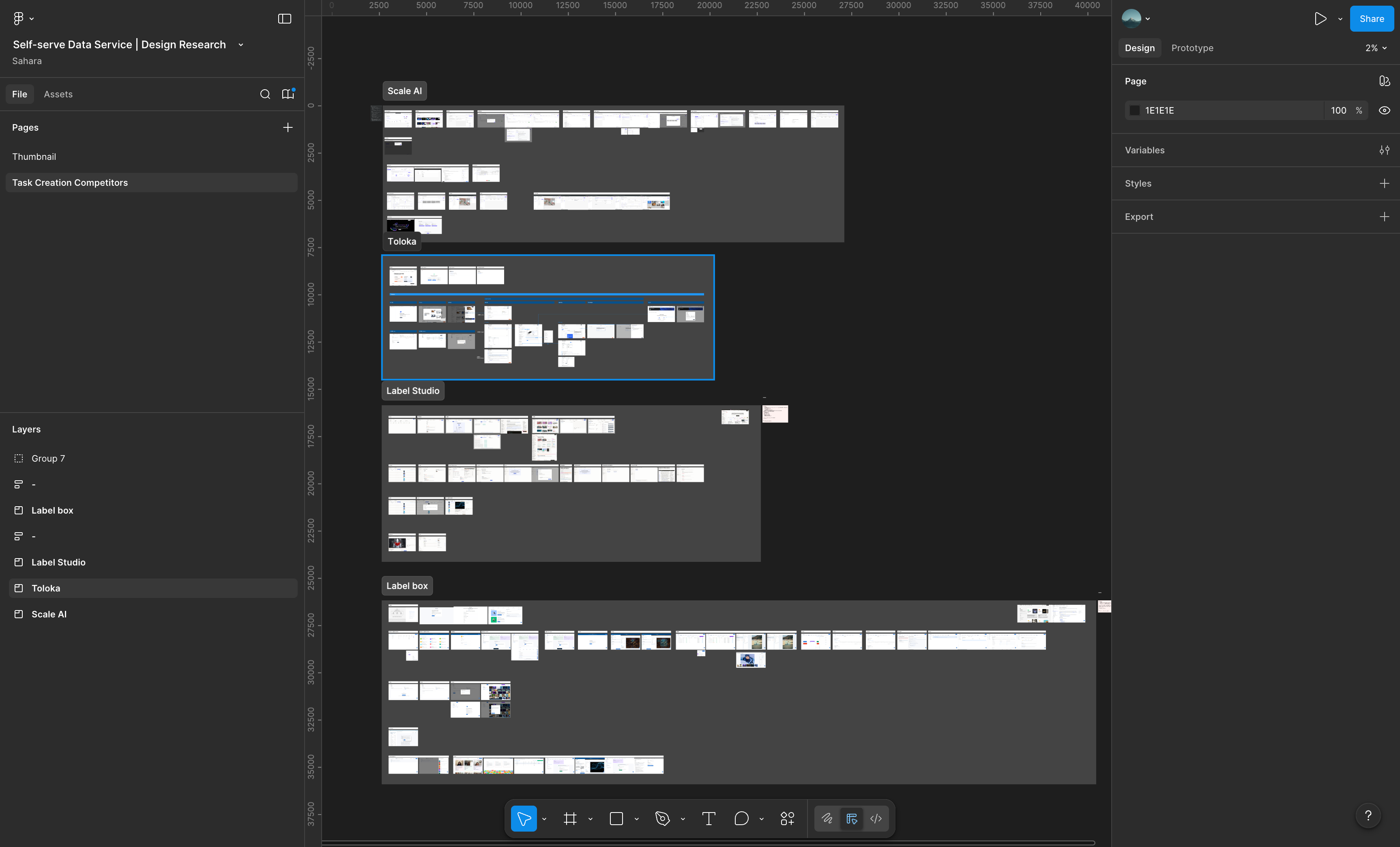
Main Competitors
SCALE AI
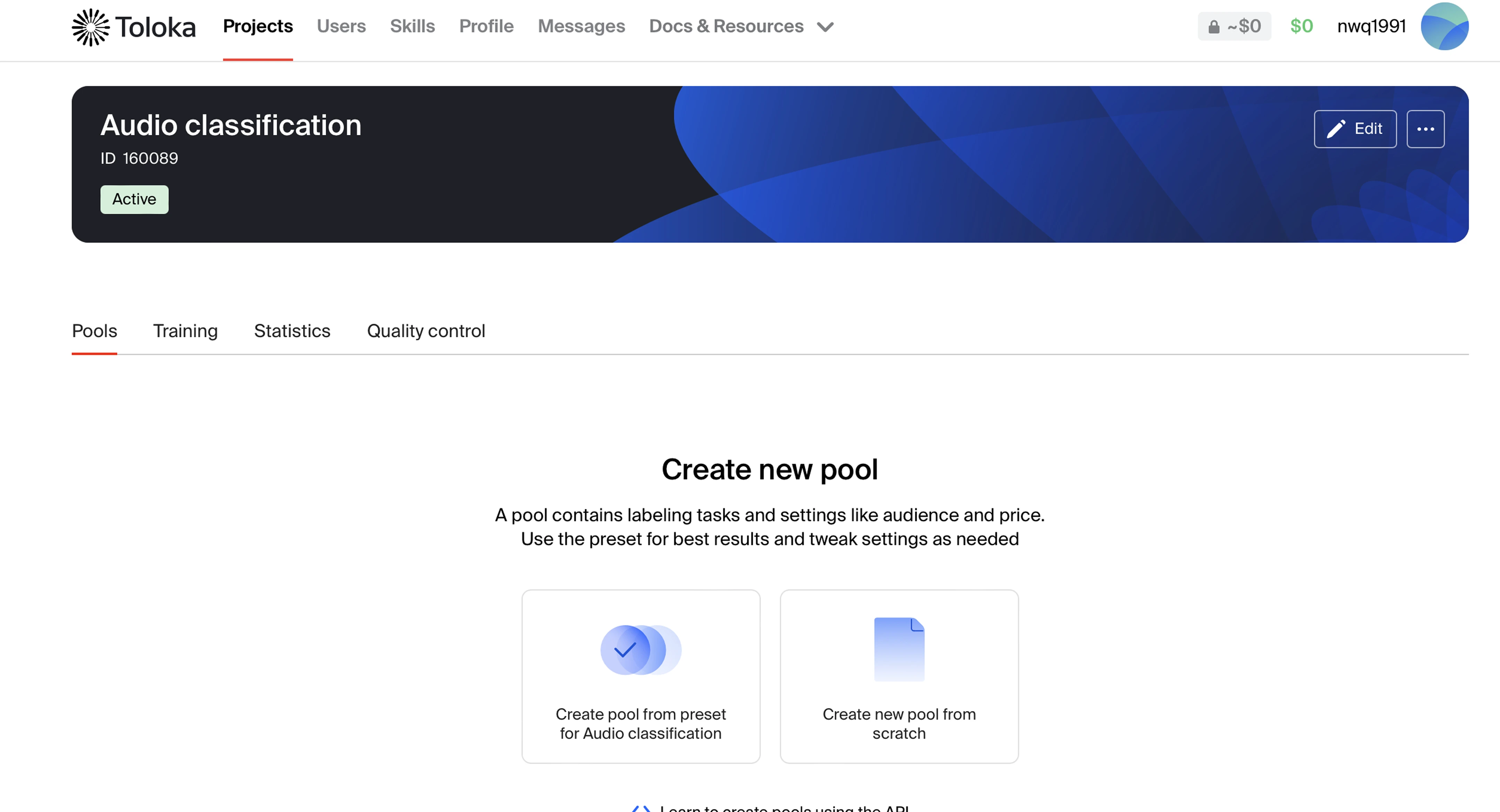
Toloka
Labelbox
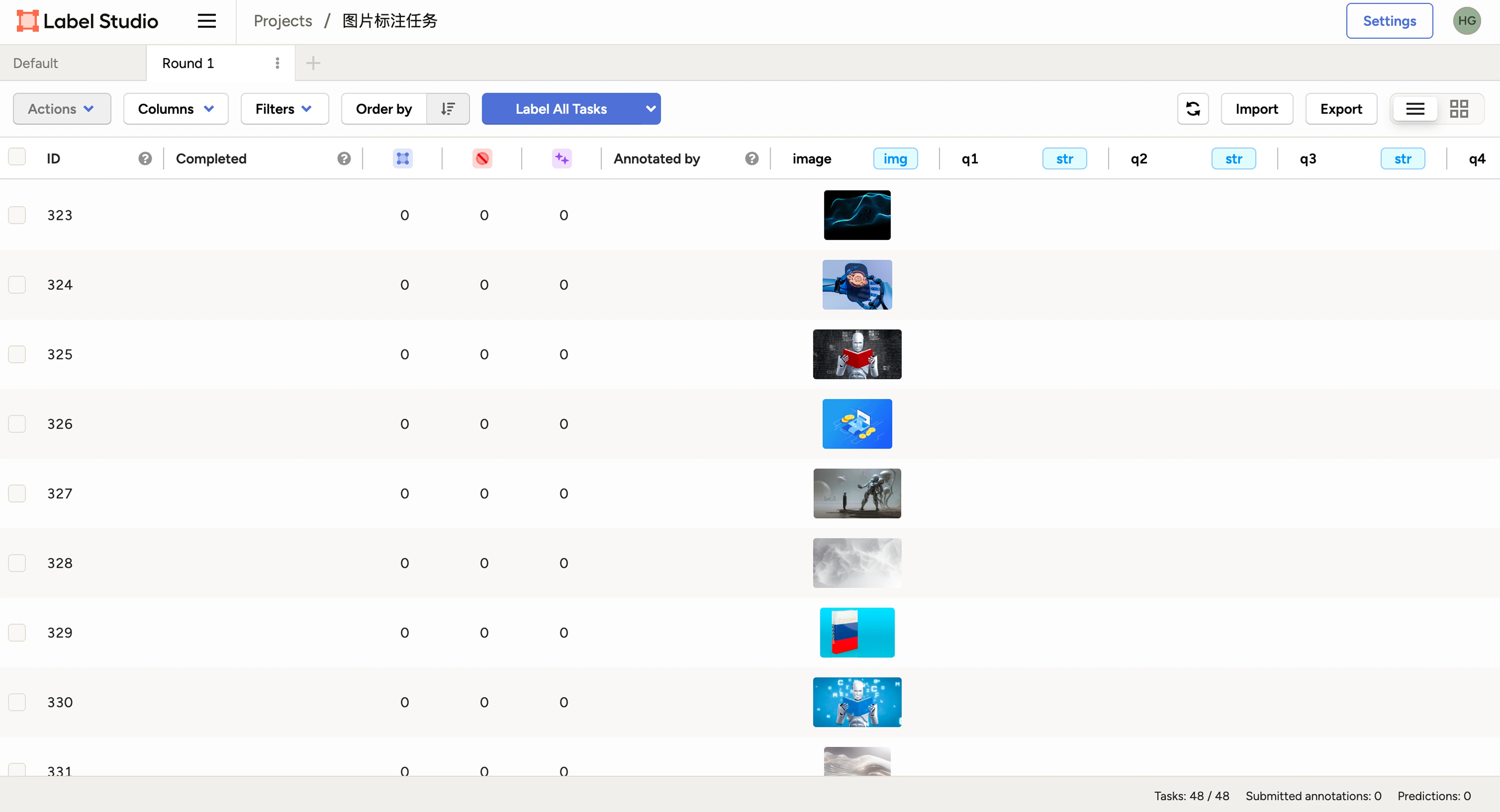
Label Studio
View Analysis Process
Challenge 1: How to reduce the task-creation cost?
Describe the whole process in a guide document.
Consistency
Apply a left-and-right structure in each setting step. User can input content on the left, and preview the final look on the right in real time.
reusability
keep reusable functions consistent in design
Quick editing
Pay attention on the UX of secondary editing after creation because most users won’t have enough materials ready for the first time.
Challenge 2: How do we organize a user friendly task detail page? What we can learn from main competitors?
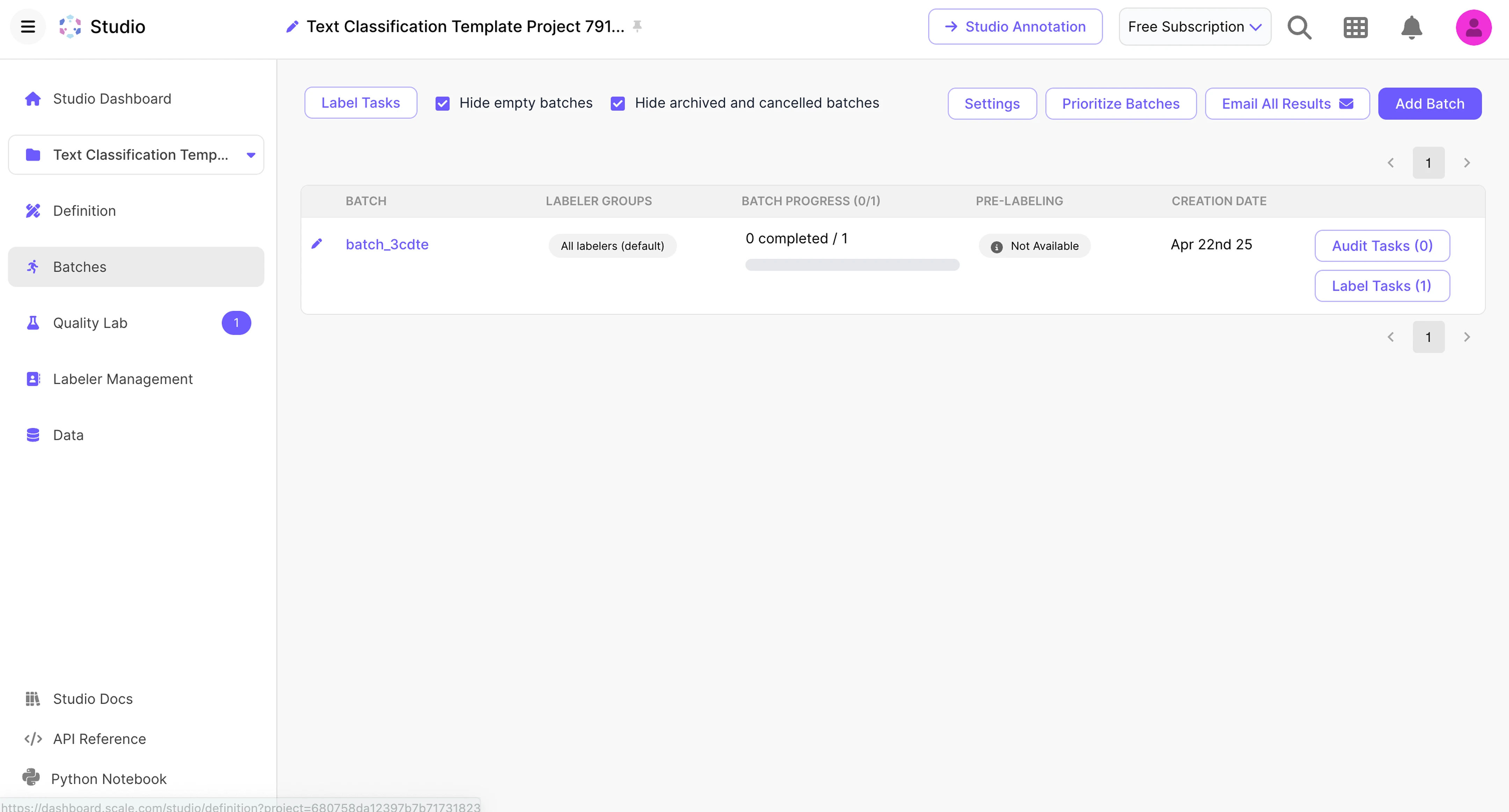
Scale AI
No main project detail page, user can visit each section through the menu in side bar
Emphasize the management of batch progress
De-emphasize basic project info
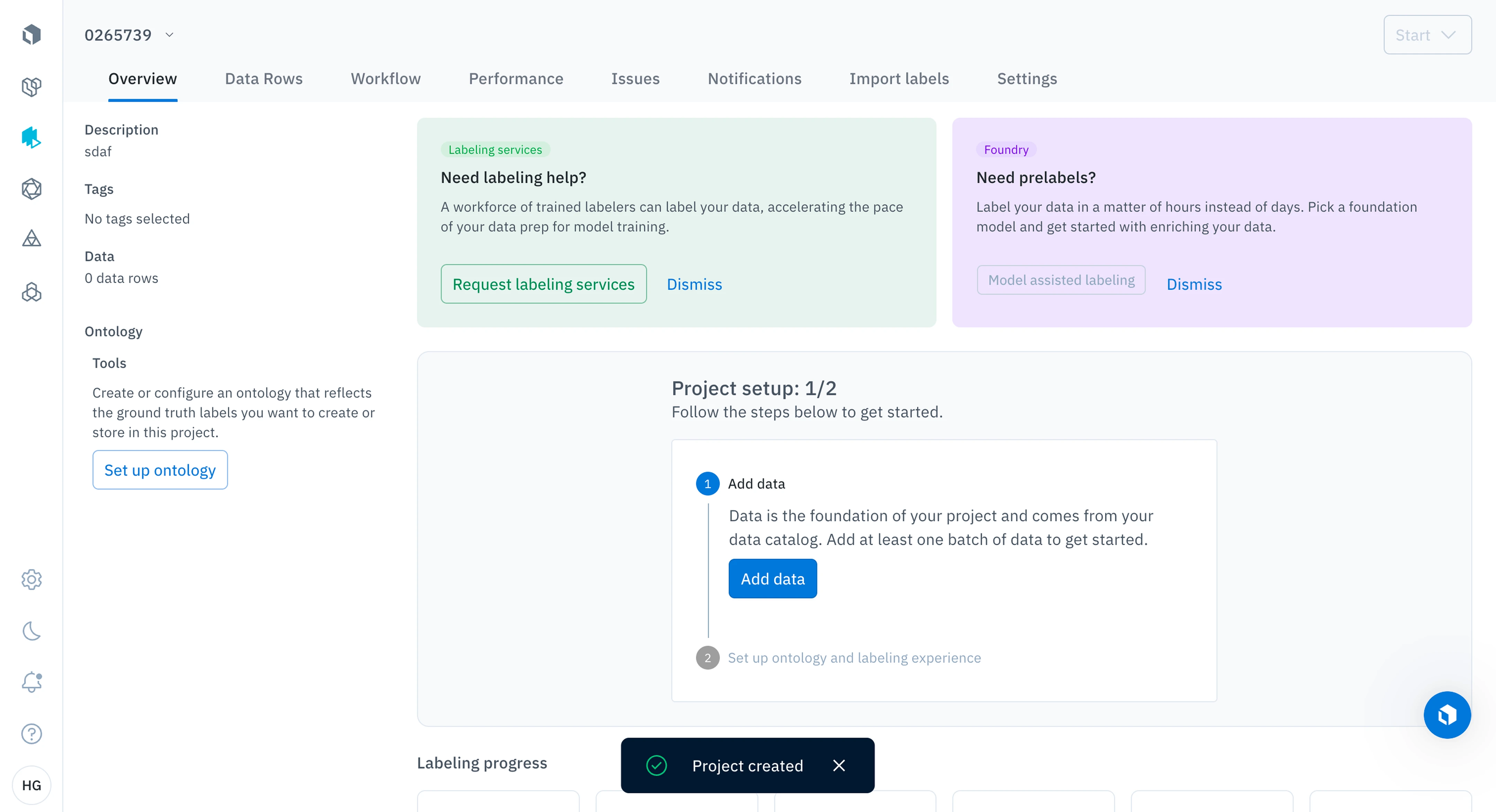
Labelbox
Use tabs to organize all sections
Not user-friendly to configure the task. And it’s hard to understand the overall process.
Toloka
Use tabs to organize all sections
It’s easy to manage all tasks and monitor the progress.
Label Studio
Focus on data management
Task basic info is placed on second page. It supports real-time editing
Opportunities
The cost of task configuration is high. Second editing scenario is necessary.
Mainly show the task progress and labeling result in task detail page
Reduce the cognitive cost of task creation
Optimize the scalability of single components.Ensure they fit different scenarios. These components are labeling interface, instructions, data management, etc.
Project Status
Pending
After design delivery, the project’s implementation priority was lowered and it is now in a pending state.
Reasons:
Strategic adjustment:
The company has discontinued the AI Marketplace platform. As a result, the project’s main C-end users — independent AI developers who used DSP data to train or sell models — no longer exist.
Limited B-end value:
Although the feature could improve communication efficiency with enterprise clients, the financial return is low, and the current client scale can still be handled manually.

Given these factors, the project is temporarily on hold.
Overall Reflection
After the project concluded, the most striking impression was its complexity. This complexity mainly stemmed from numerous critical process nodes and specialized terminology (such as Instruction and Batch).
In such intricate business scenarios, product designers must strike a balance between understanding, prioritization, and structured expression.
Product Level
Clarify business scenarios and priorities: Identify which features are essential, which are optional, and which can be postponed in Phase 1.
Define key decision-makers: The product involves multiple connected platforms (e.g., the operations dashboard, AI Marketplace, and Data Service List).
Clear boundaries between upstream and downstream interactions are crucial for efficient collaboration and output quality.
Design Level
Maintain a holistic perspective: Consider each functional module’s adaptability and consistency across different contexts to reduce user effort.
Simplify interactions: Avoid unnecessary complexity; keep tasks straightforward so users can focus on content input rather than interface logic.