Scope
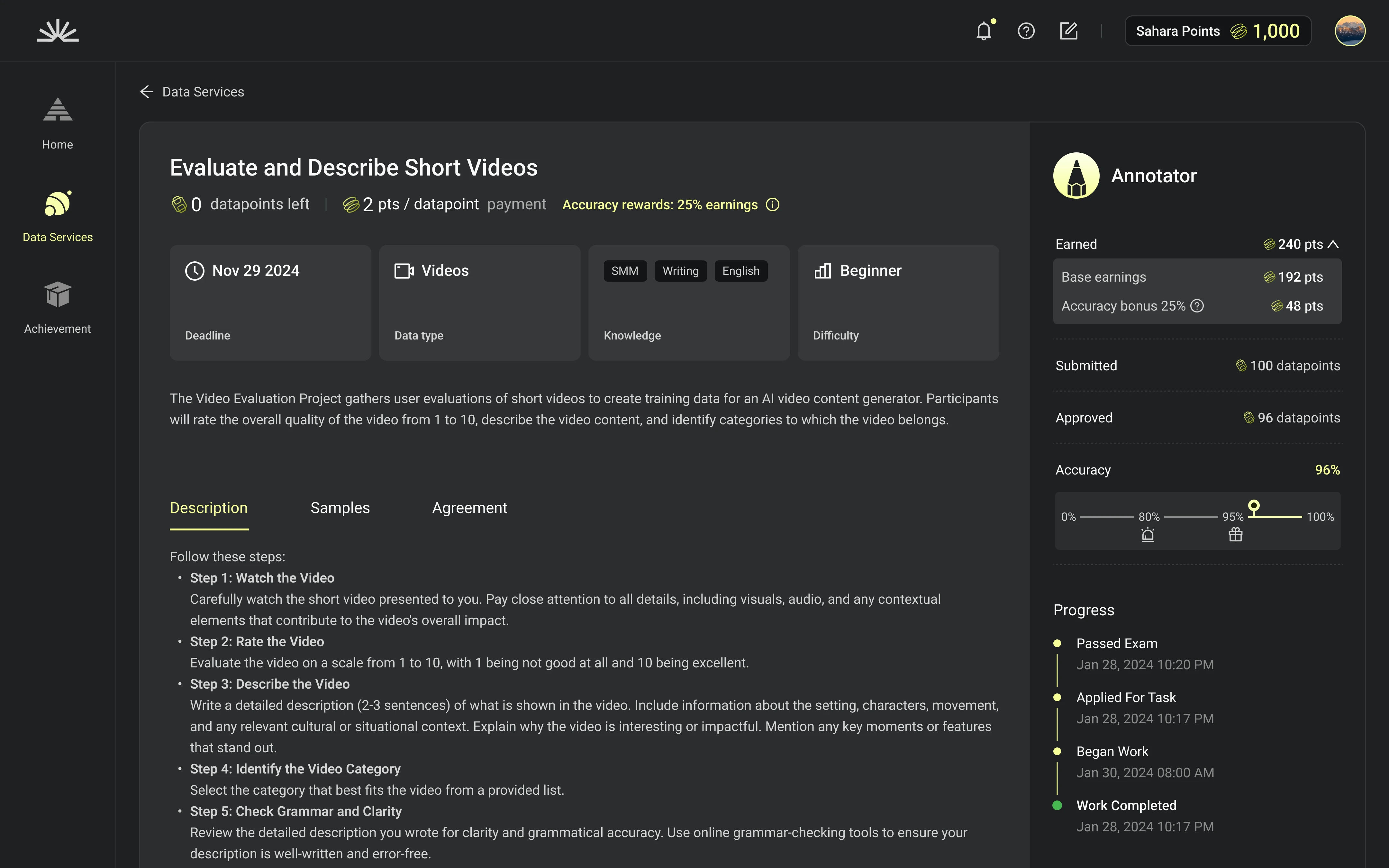
Build a task marketplace where individual labelers can find decent labeling tasks Provide tools for data annotation and reviewing
Basic Info
Target Users
Individual Labelers
Data by Mar 29, 2025
175K+ (DAU)
2,984,422 (Total Accounts)
My Role
Product Designer
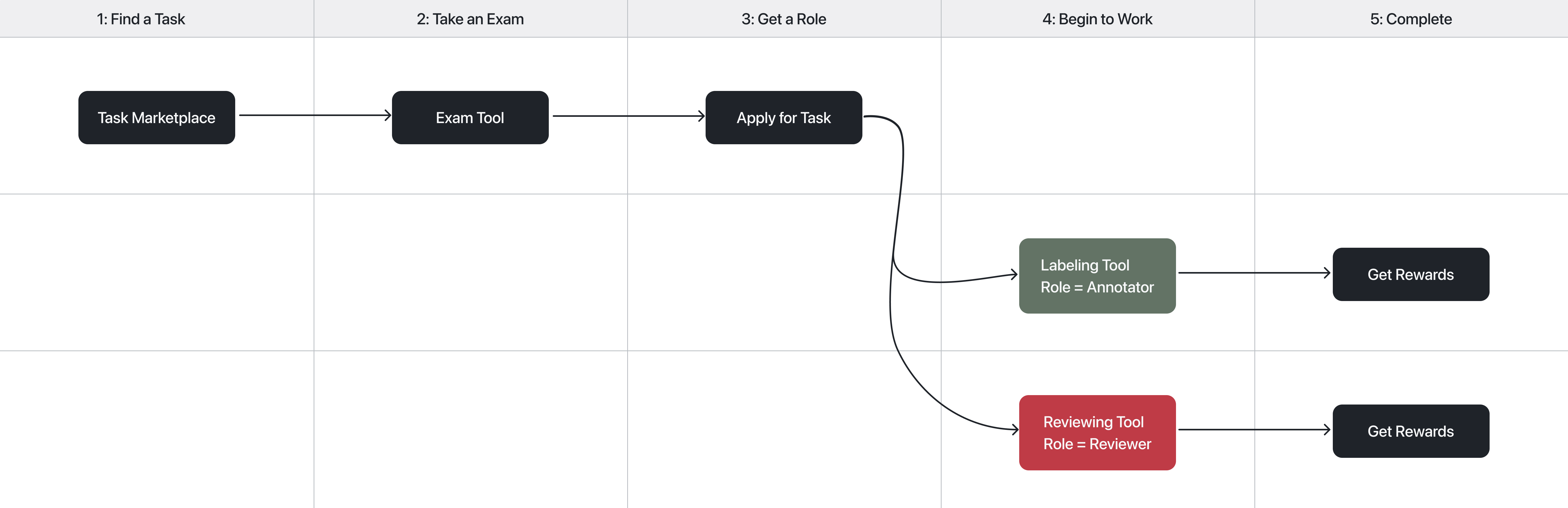
Task Flow
Use Cases
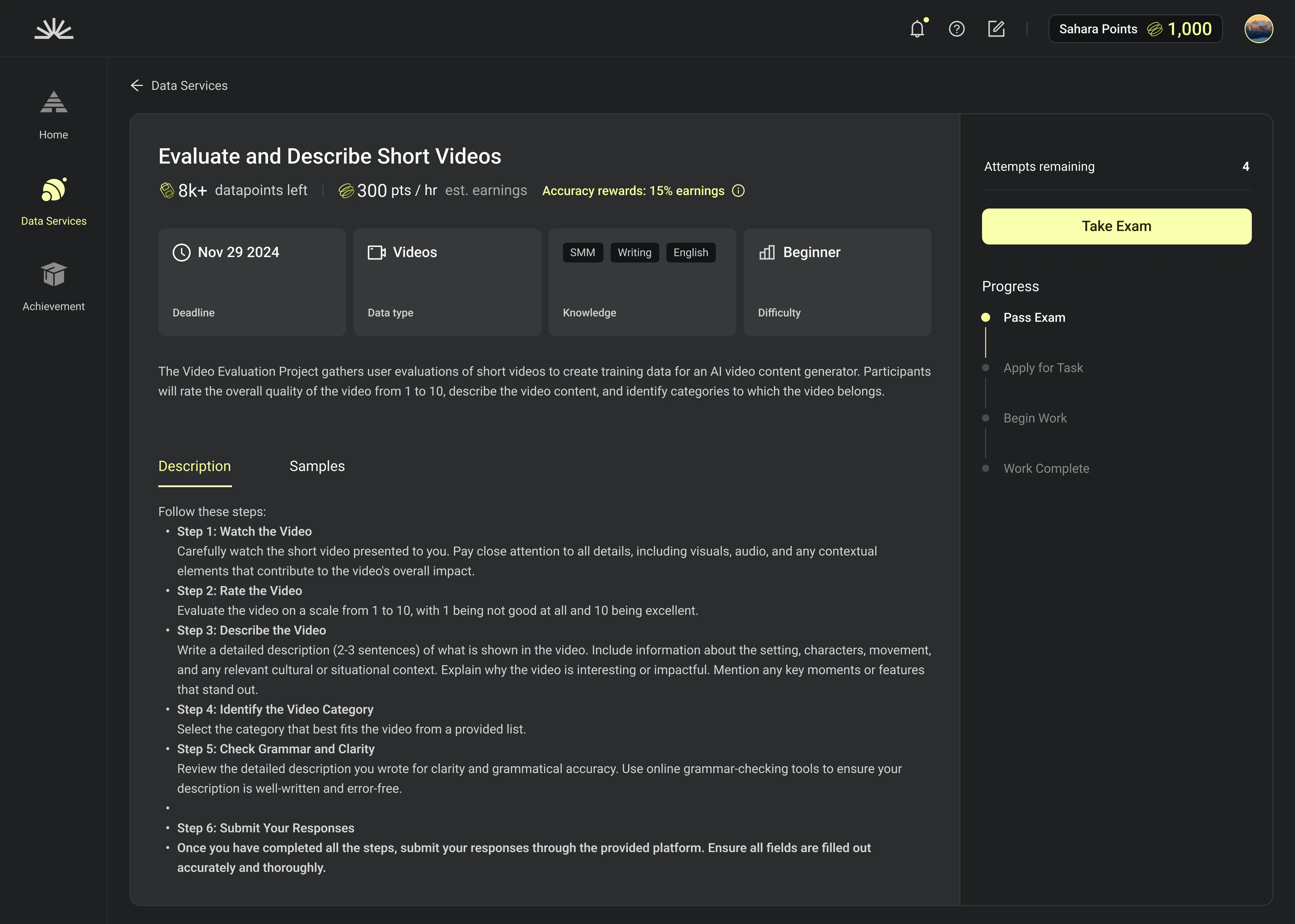
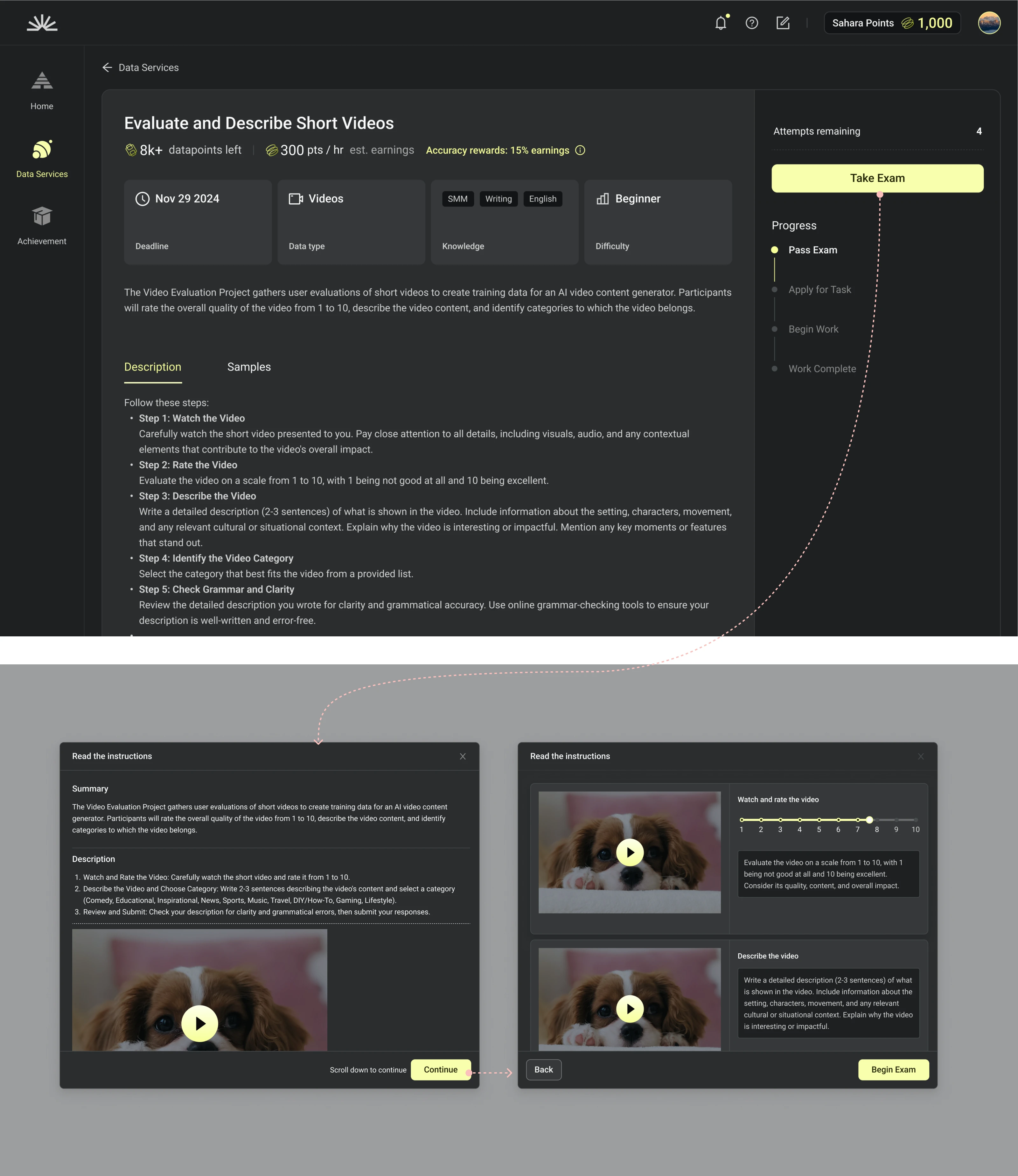
Qualify
Demonstrate your expertise and qualifications for the task by completing a short exam.
Demo
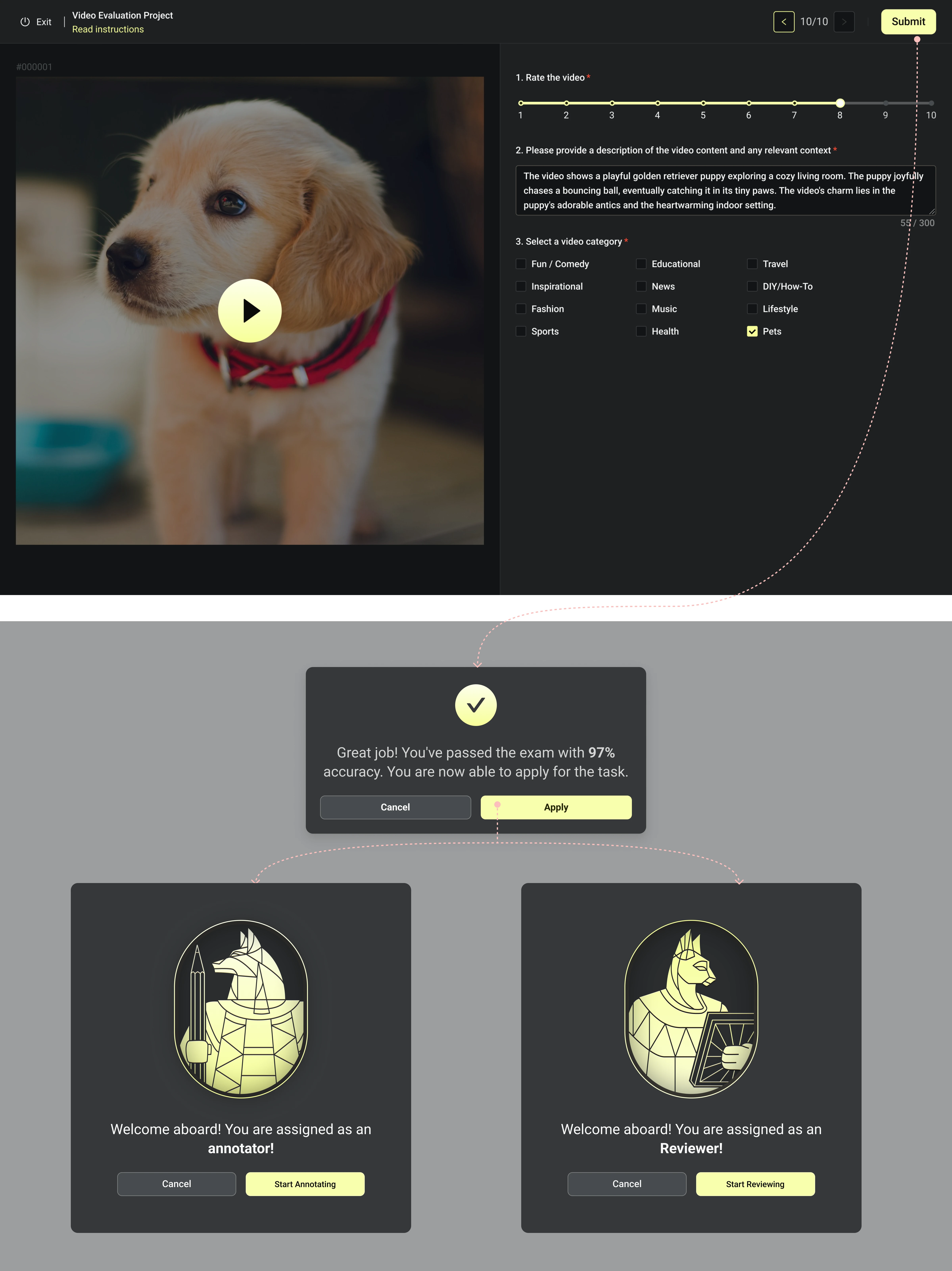
Contribute
Demonstrate your expertise and qualifications for the task by completing a short exam.
Demo
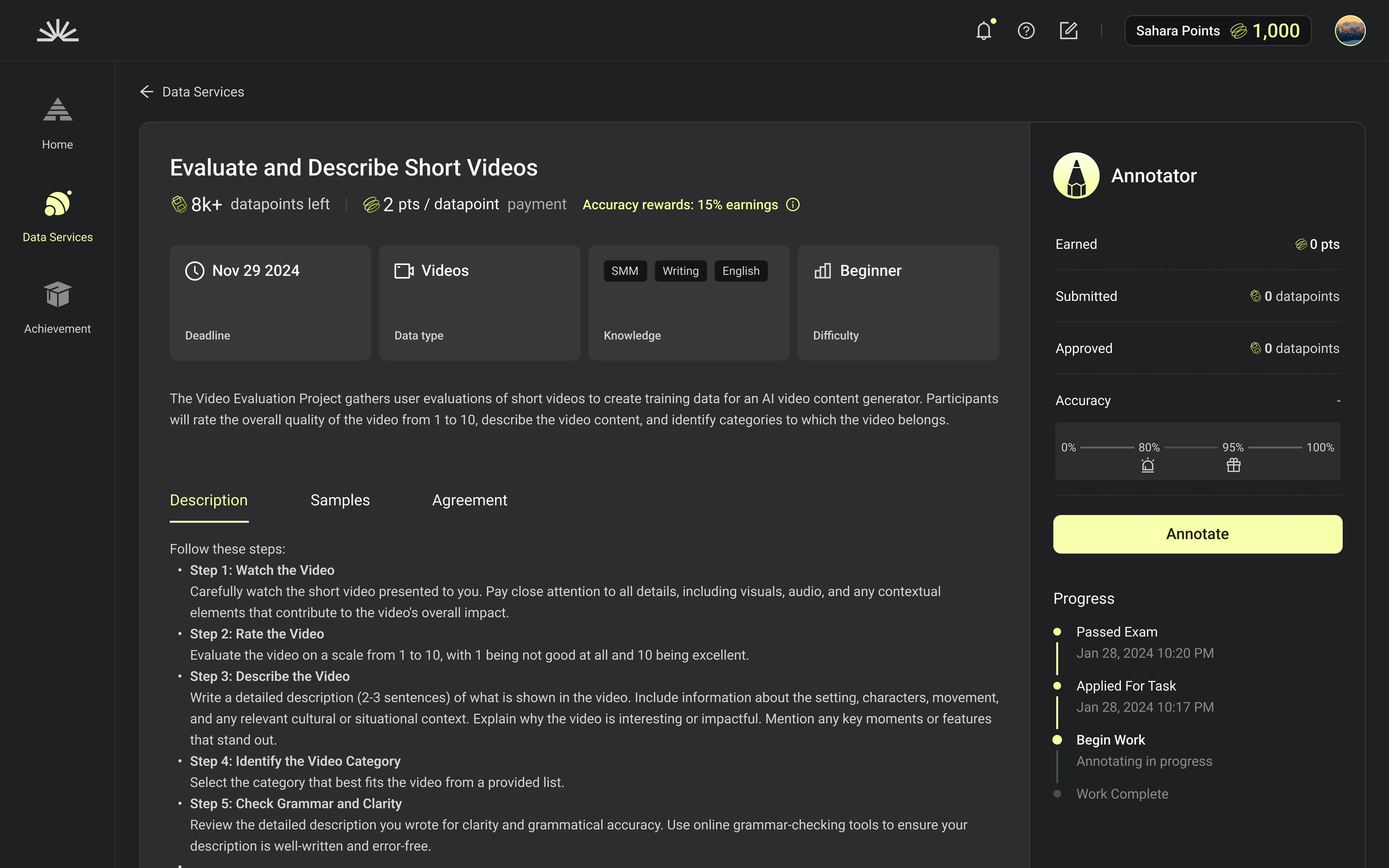
Earn
Receive points and rewards for each task you complete. Get bonus rewards for accuracy and high rankings.
Demo
Design Research
Main Competitors
SCALE AI
Toloka
Labelbox
Google Form
View Analysis Process
Goal 1
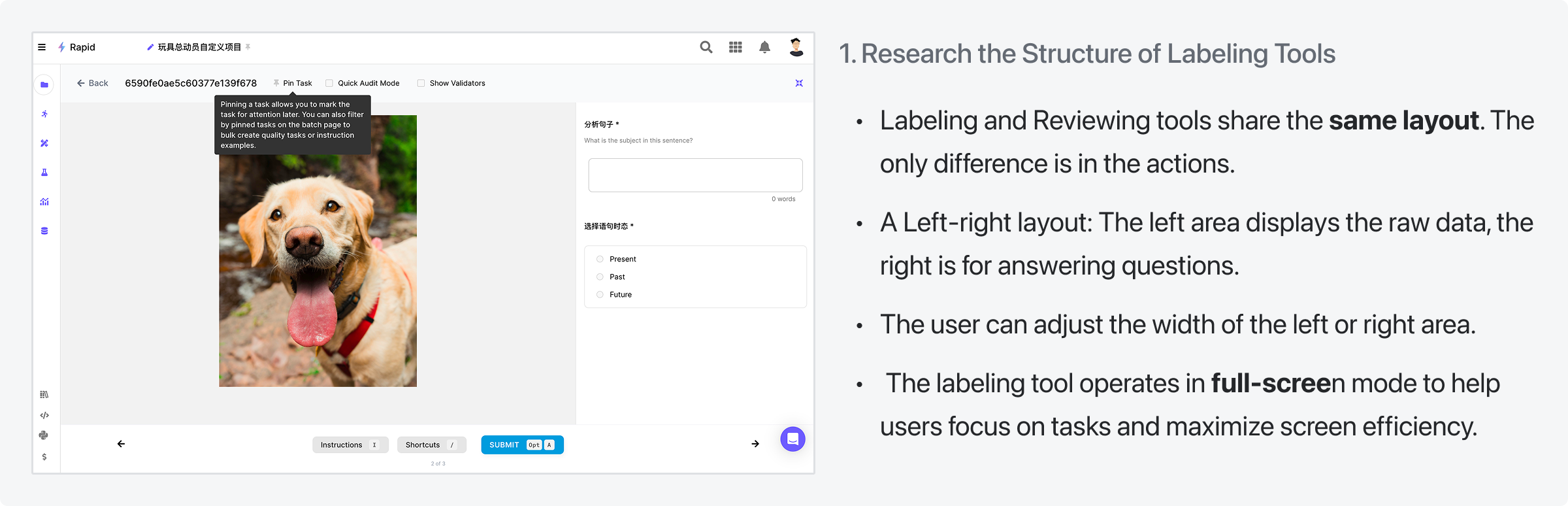
Research the Structure of Labeling Tools

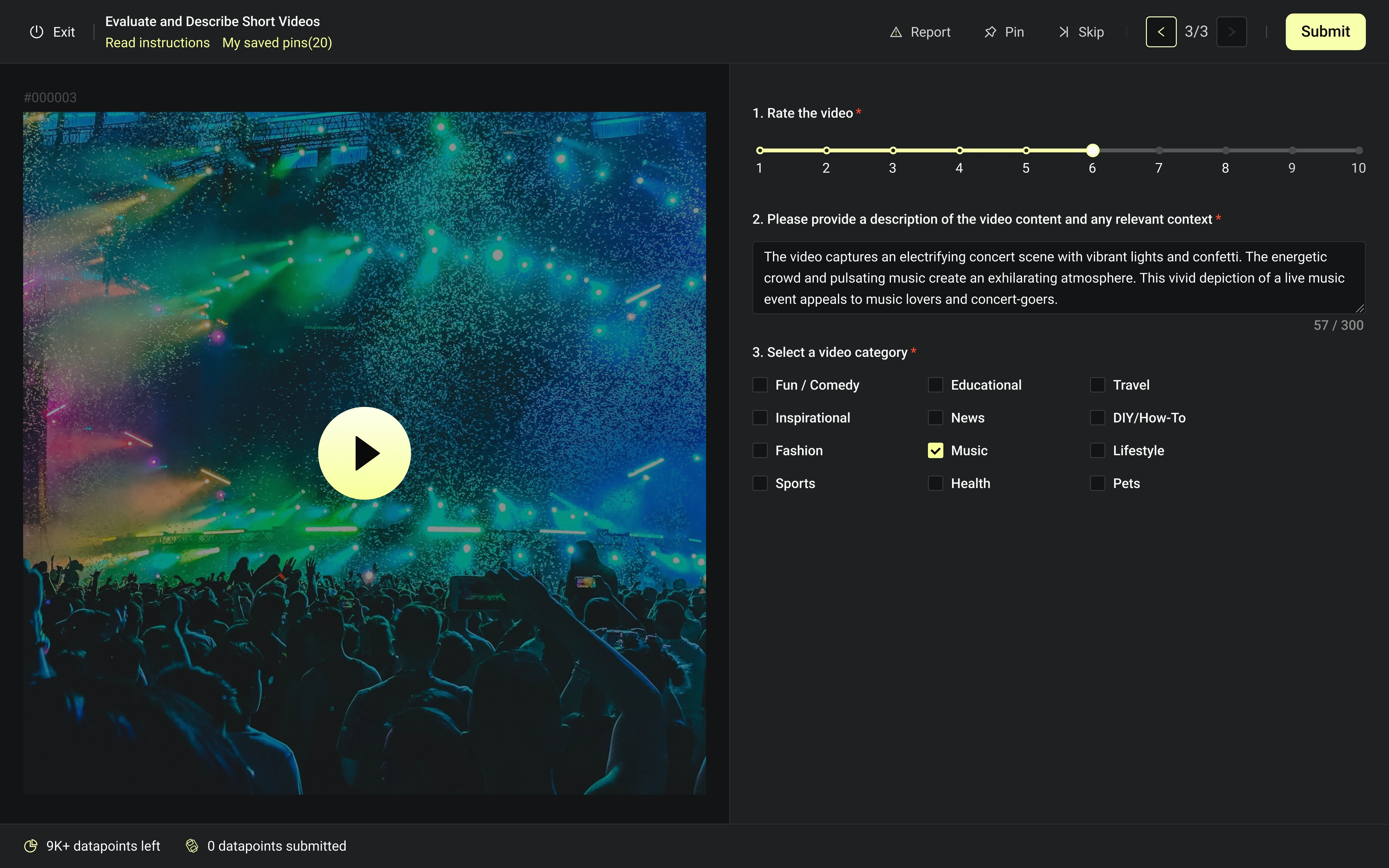
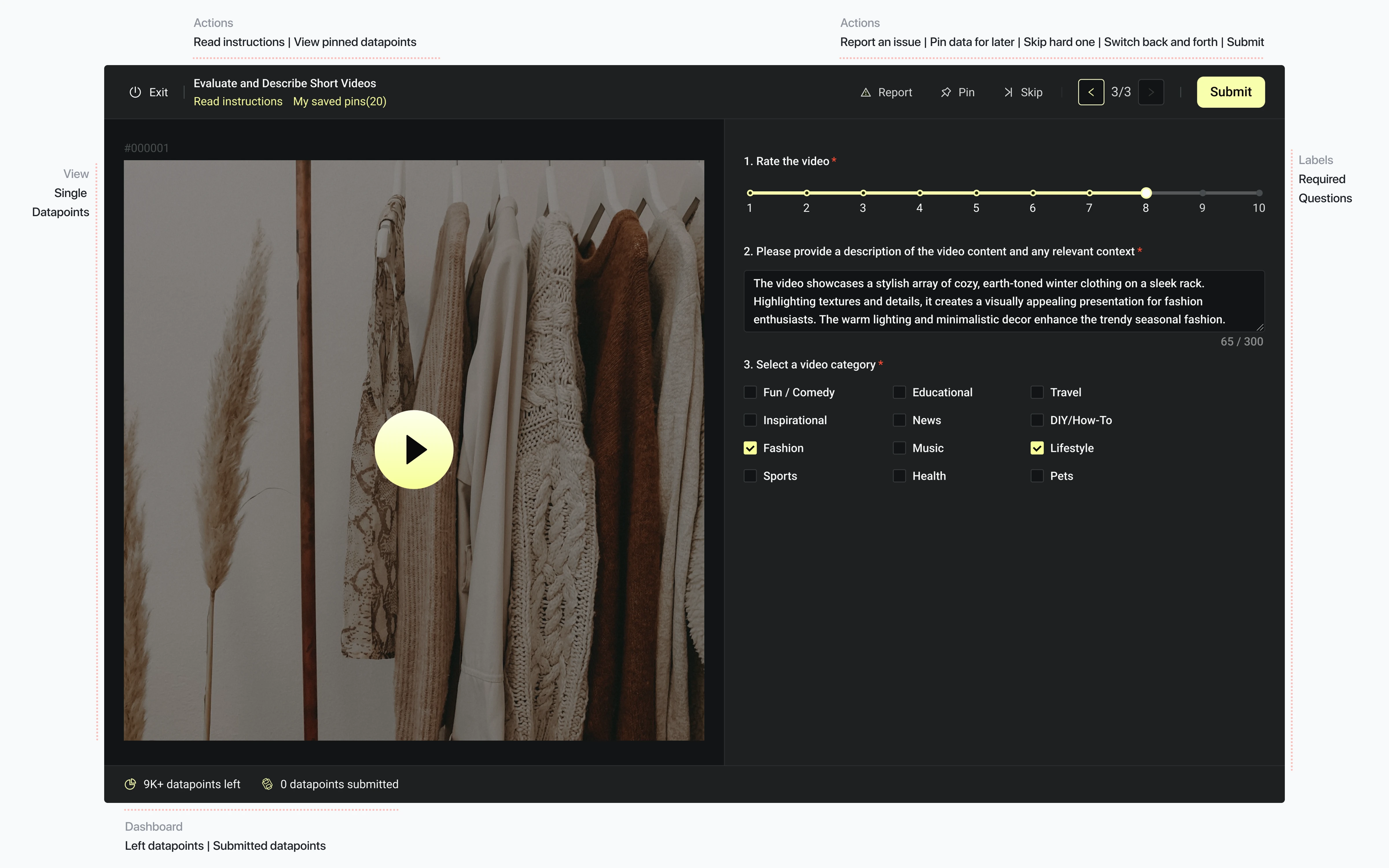
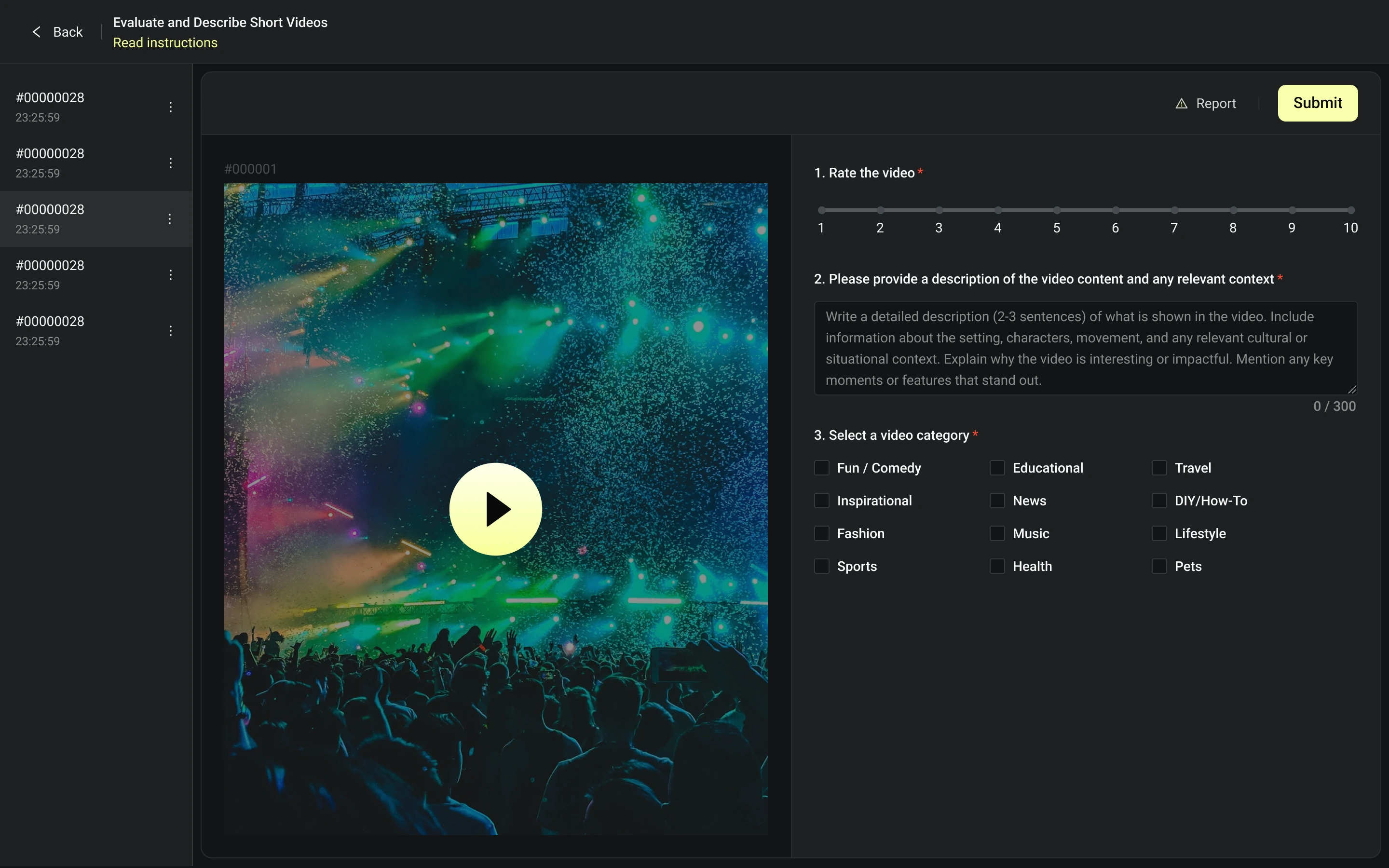
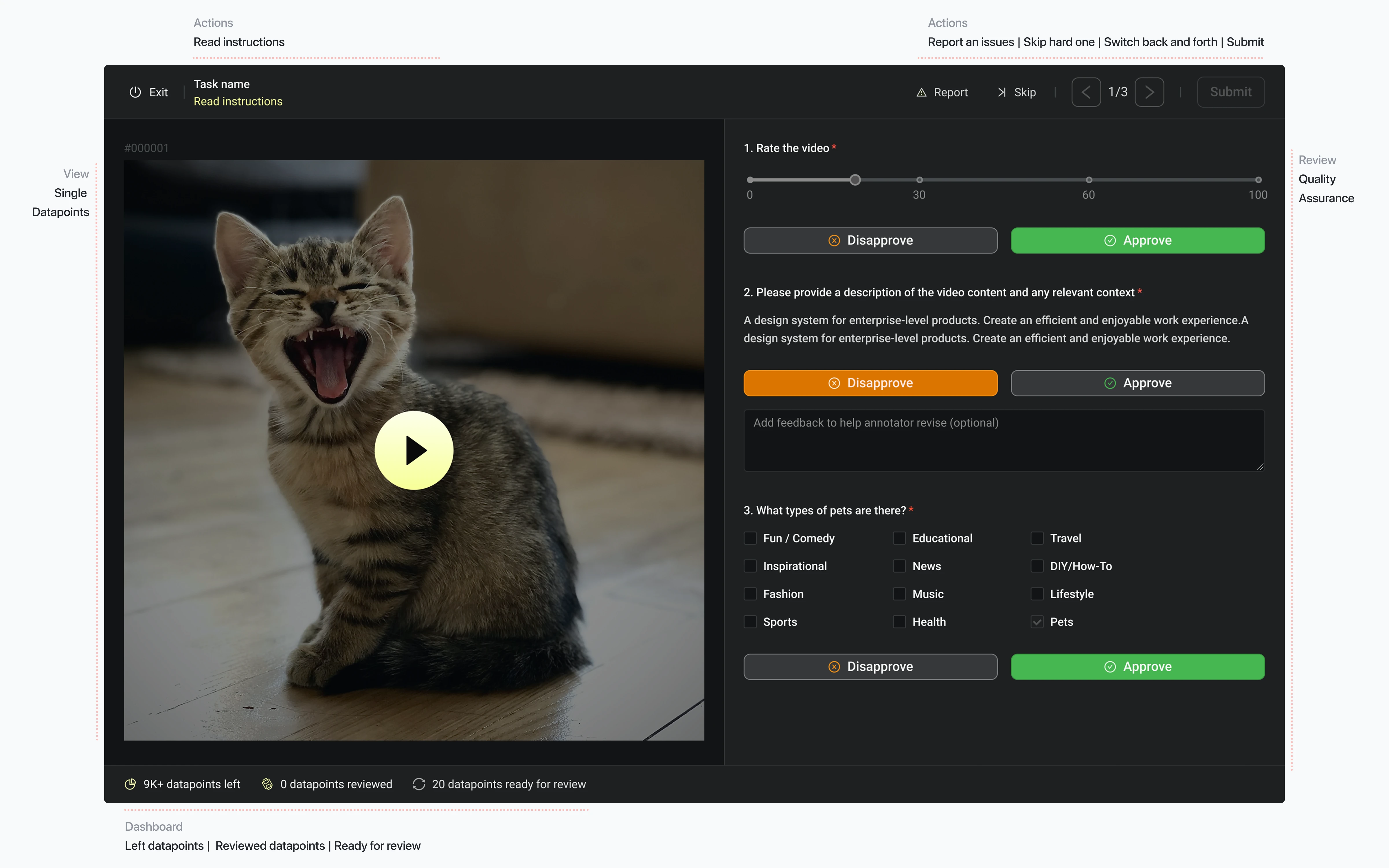
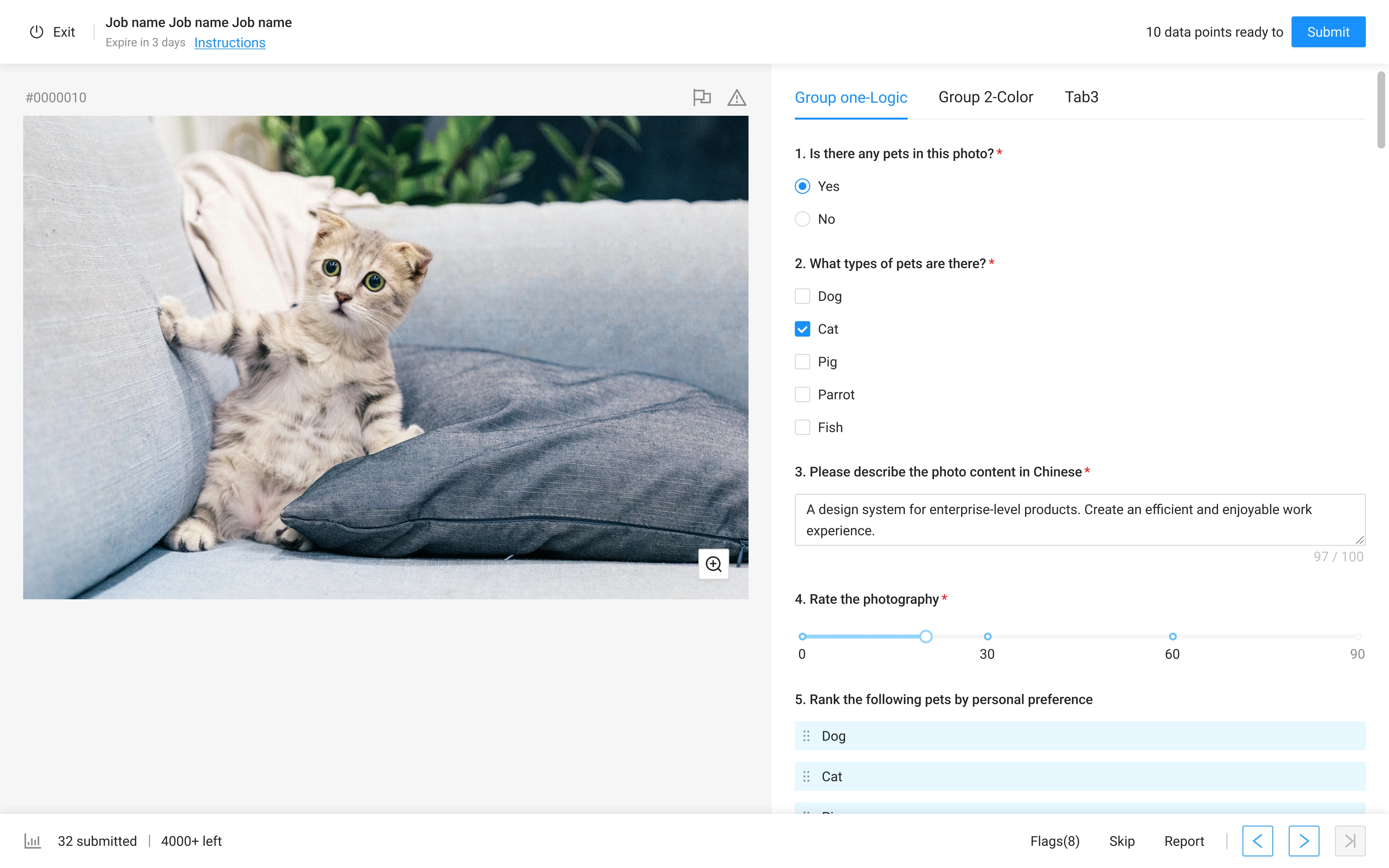
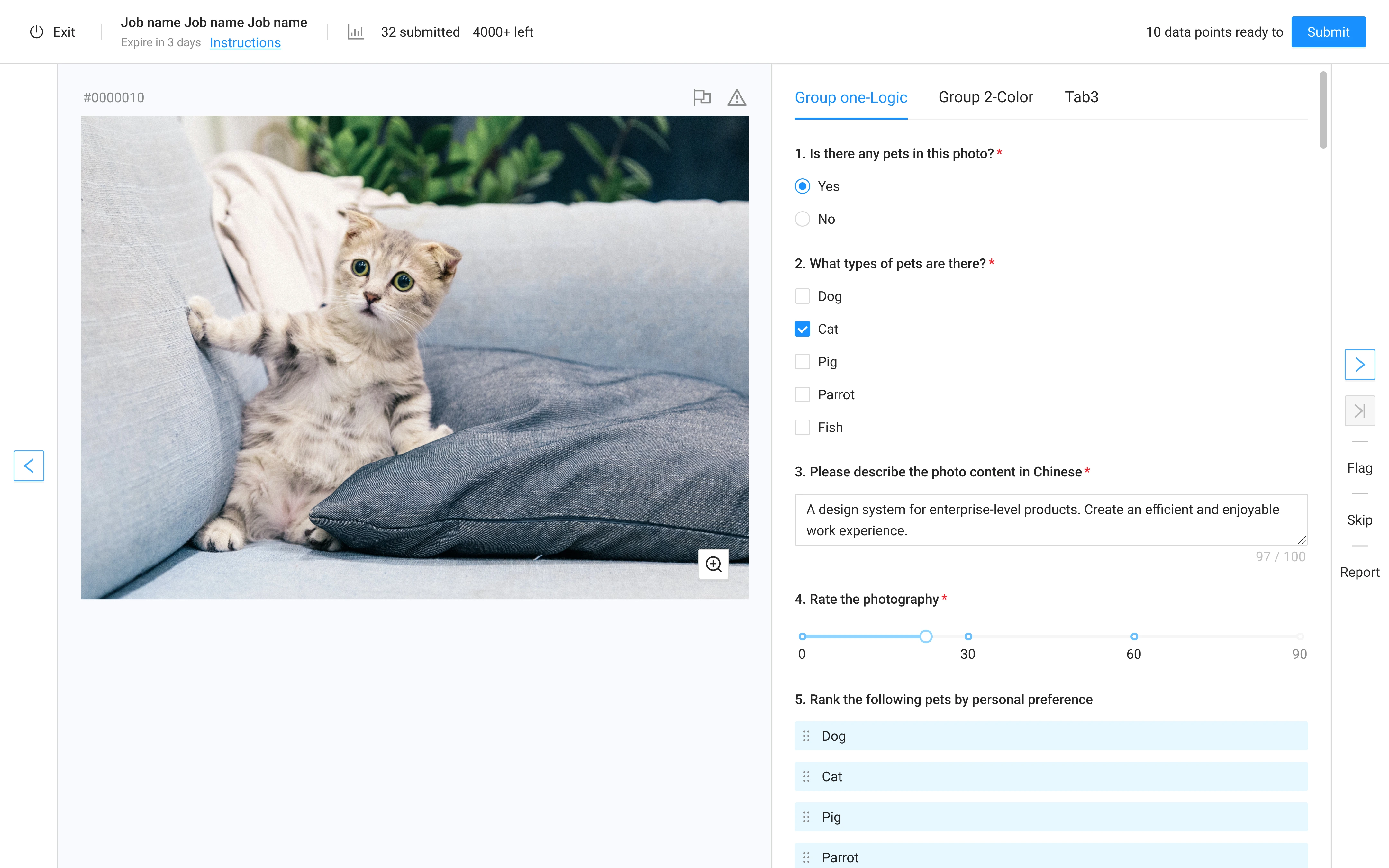
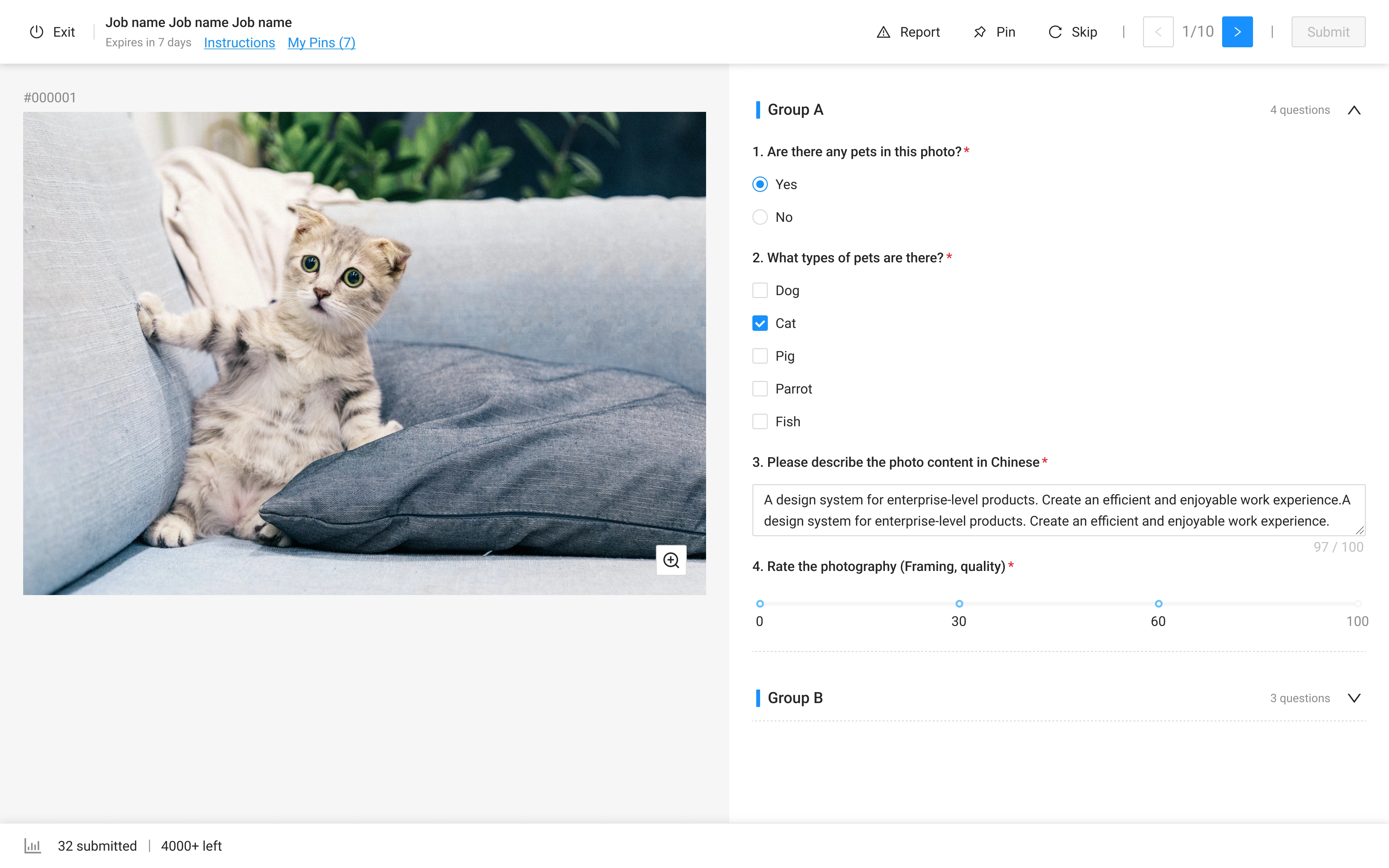
- Labeling tool and Reviewing tool share the same layout. The only difference is the action.
- Left-right layout: The left area displays the raw data, the right is for questions.
- The user can adjust the width of left or right area.
- The labeling tool operates in full-screen mode to help users focus on tasks and maximize screen efficiency.

Goal 2
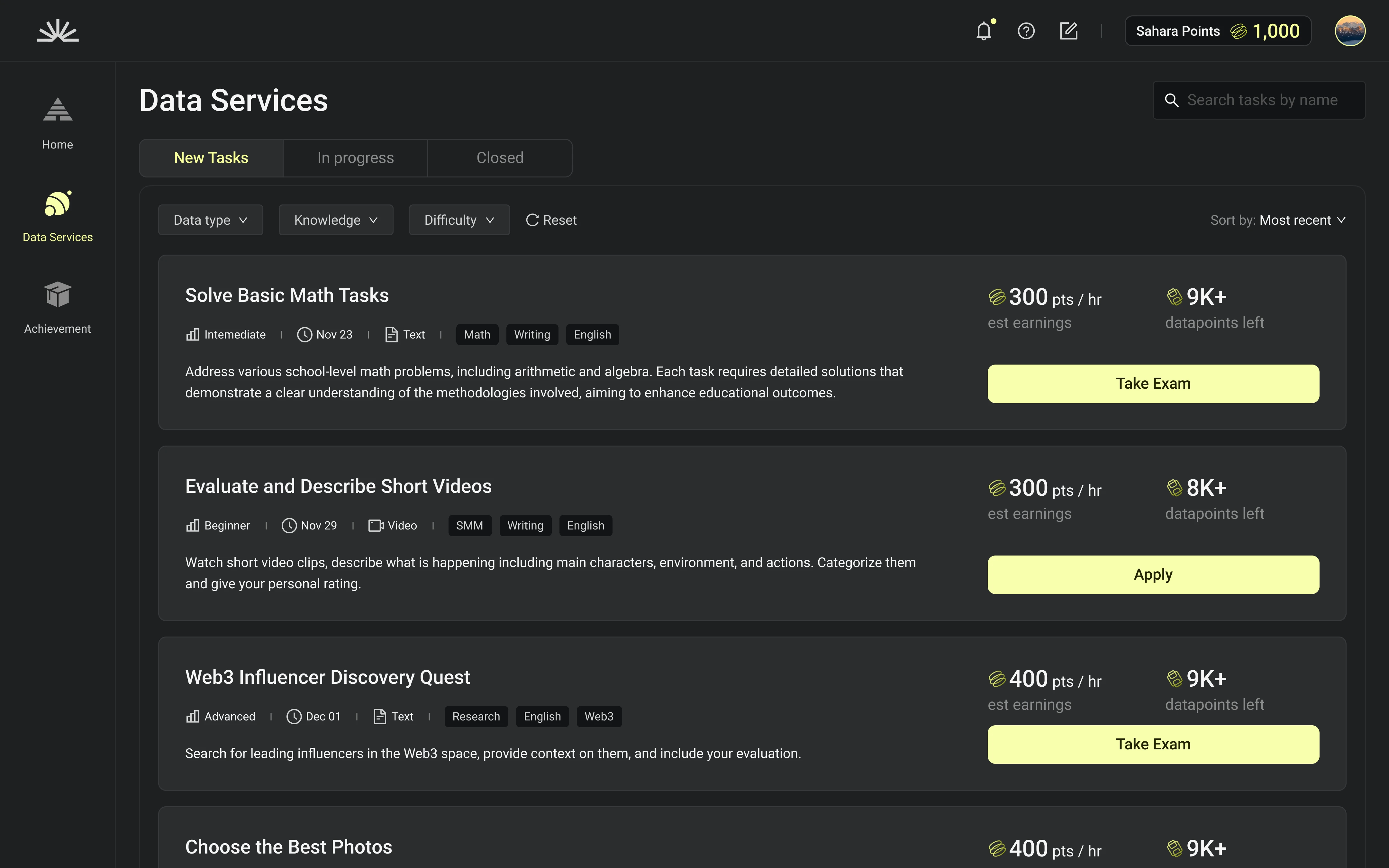
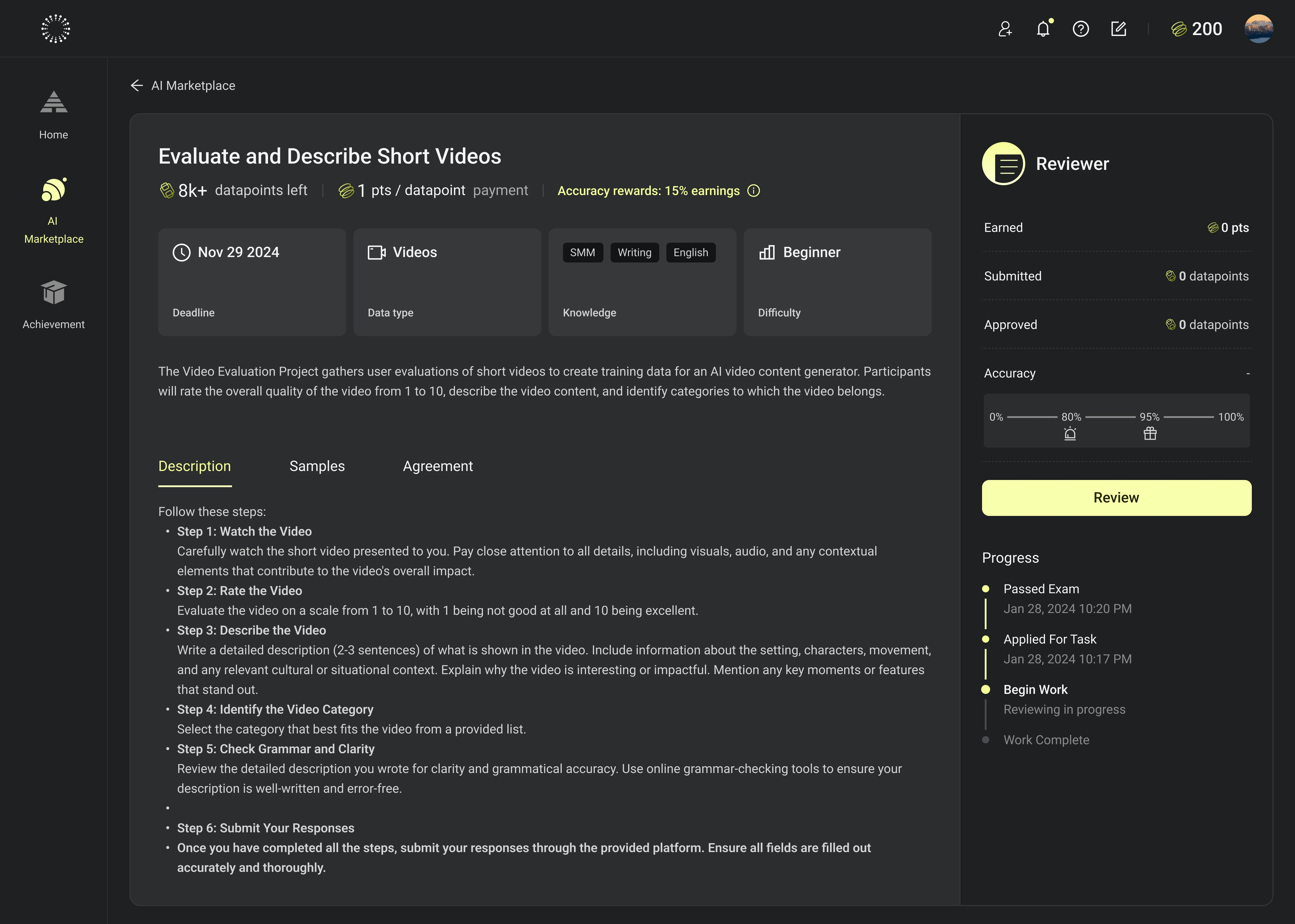
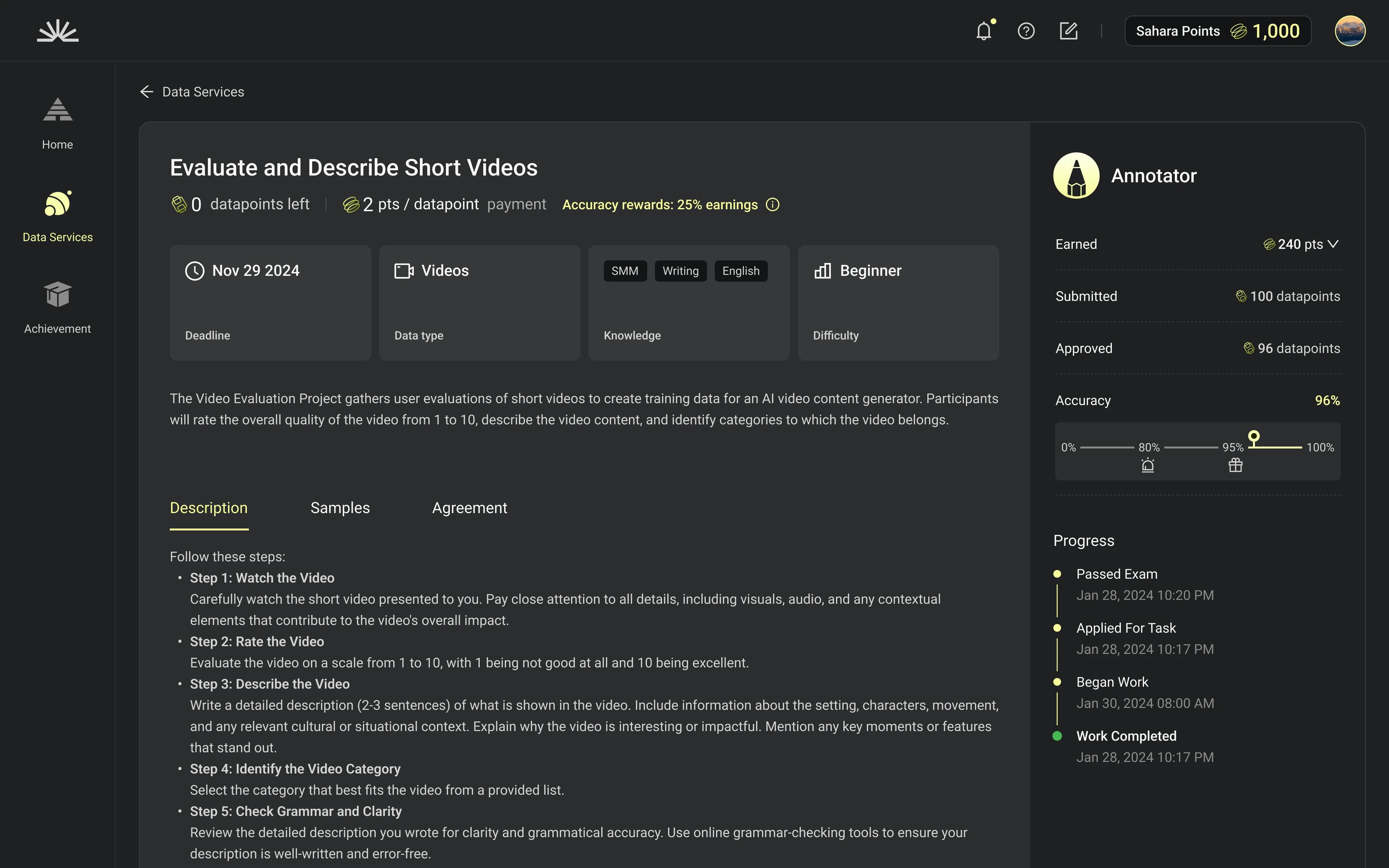
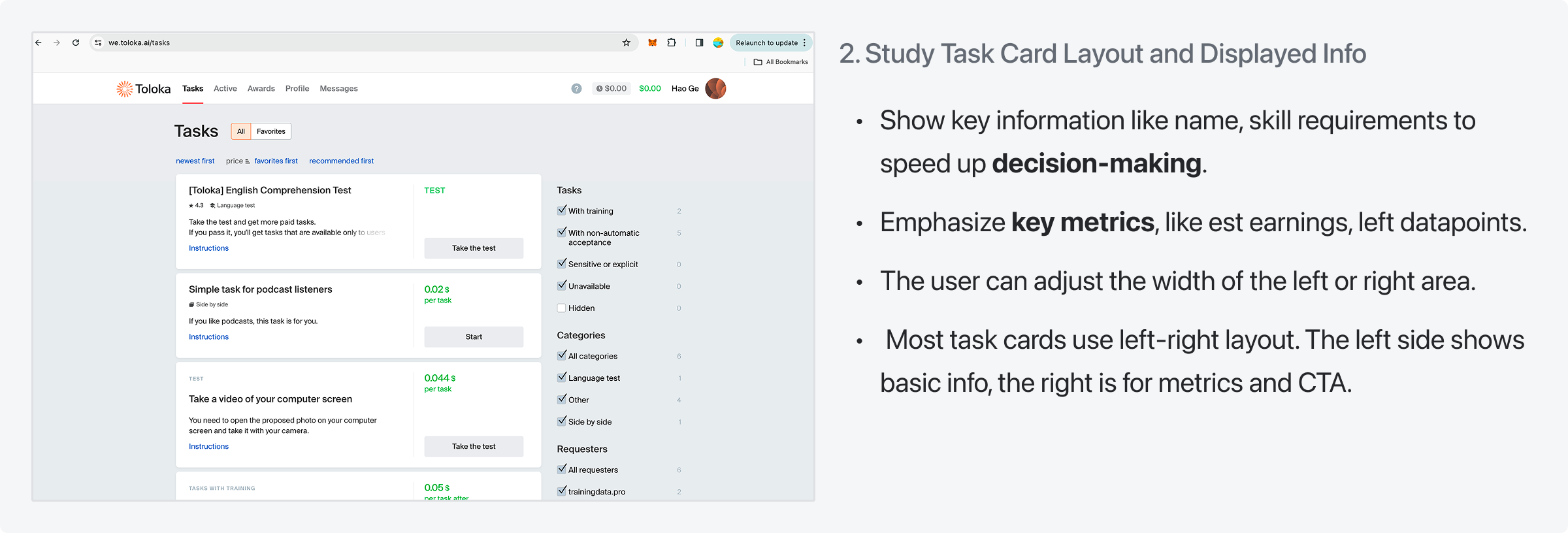
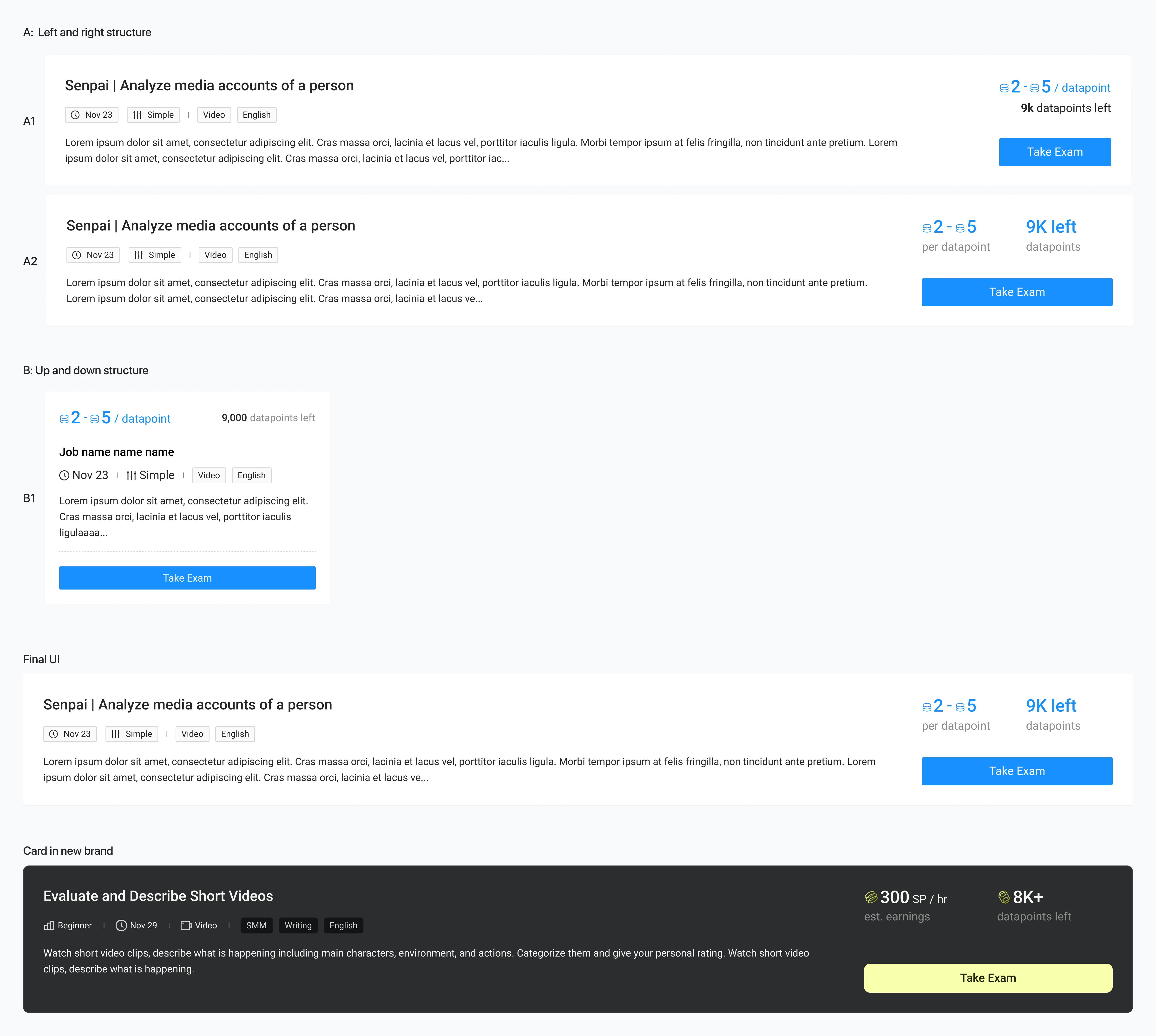
Task Card Layout and Info

- Show key information like name, skill requirements to speed up making decision.
- Emphasize key metrics, like est earnings, left datapoints.
- Most task card use left-right layout. The left is for basic info, the right is for metrics and CTA.

Goal 3
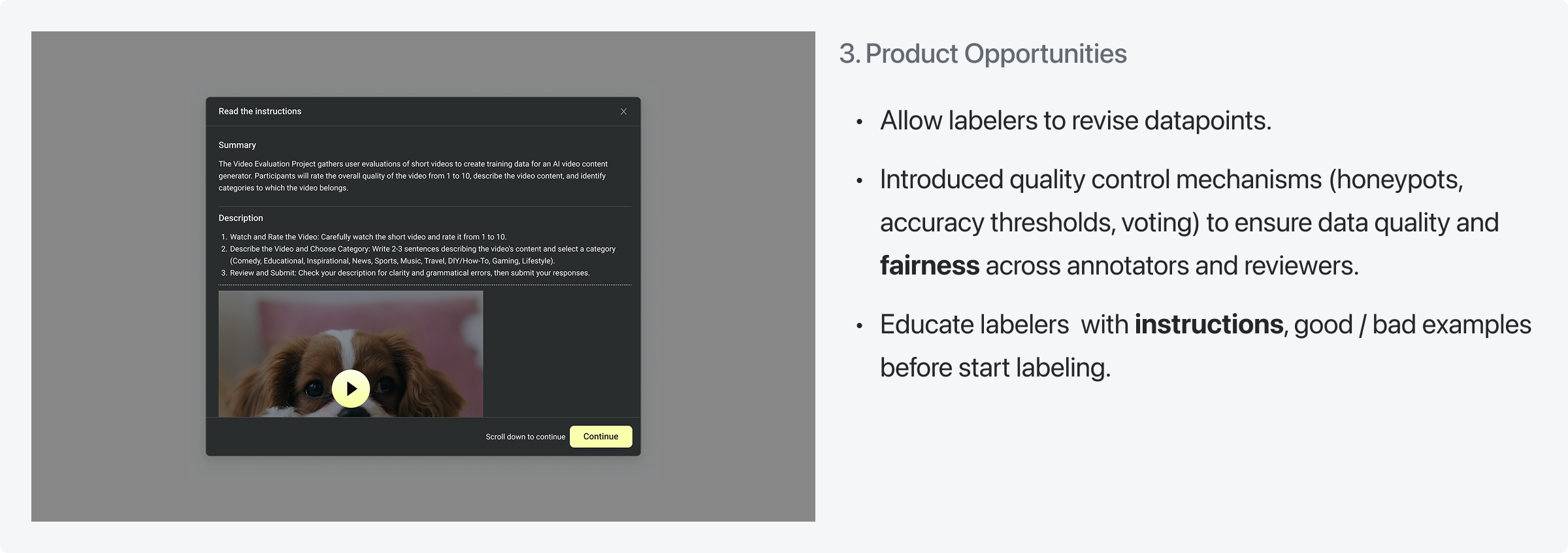
Product Opportunities

- Enable data revision permission for labelers.
- Establish a multi-role fairness rule framework (including minimum accuracy requirement, daily workload quotas, majority voting mechanisms, honeypot detection systems, etc).
- Educate labelers  with instructions, good / bad examples before start labeling.

Design Challenge & Process
Direction and Conclusion
Directions: Labeling tools structure
Conclusion:
- Labeling tool and Reviewing tool share the same layout.
- Apply left-right structure.
   - Preview data on the left, and answer questions on the right.
   -The user can adjust the width manually. Provide full-screen mode to better focus on the task.
Direction: Task Card Layout and Info
Opportunities:
- Show key info to clarify task type and requests, that help user make decisions
- Highlight critical data, like est. earnings, left datapoints, to attract users. Place the decisive data belong to CTA for better   efficiency.
Data on April, 2025
2025-04-11 UTC
User Engagement

Total Register User (since 2024-06-01)

2,937,570
Whitelisted DAU
1,312,65
Non-whitelisted DAU
180,392
User Contribution
Average Annotations
4.26 dps/user
Average Reviews
11.82 dps/user
Daily Approved Datapoints
124,826
Sahara Points
Daily Distributed Sahara Points
1,422,242 SP
Season 1 Distributed SP
4,450,204 SP
Season 2 Distributed SP
26,471,811 SP
Season 3 Distributed SP
54,641,630 SP
What I learnt
When designing platform products, it’s important to plan for functional reusability and interaction consistency in advance. For example:
Keeping the structure and interactions of the Annotating Tool and Reviewing Tool consistent
Standardizing task card designs across different states
Designing the Read Instructions module to be reusable across multiple scenarios
1: How can design be efficiently executed and delivered when the brand design language is still evolving, there is no platform-level design system in place, and dedicated UI design resources are unavailable?

Focusing on the feasibility of the MVP stage, the first step is to identify and prioritize the critical design resources required, primarily the design system and visual support, and define corresponding strategies for each.

At the design system level, a mature open-source system such as Ant Design is adopted in the early stage to ensure usability, consistency, and rapid UI delivery. Once the brand design language becomes clearer, the design system can be iterated and visually customized to align with the established brand identity.

At the brand and visual level, professional work should be handled by dedicated professionals. After aligning on design direction with the Design Lead or relevant stakeholders, recruitment for UI and visual design roles is initiated to gradually strengthen brand and visual capabilities.

In addition, given that product processes are still being refined, designers need to continuously clarify design boundaries and responsibility scopes, maintaining focus on stage-specific goals and avoiding misalignment caused by overextension beyond their role.

2: When the PRD was handed over to the design team, it lacked sufficient clarity and completeness. Requirements continued to evolve throughout the design phase, resulting in a high degree of uncertainty.
To mitigate this, design maintained a high level of adaptability, rapidly translating product scenarios into low-fidelity demos and end-to-end workflow diagrams. This approach enabled early identification of experience risks and functional gaps, while allowing design to propose actionable improvements and drive cross-functional alignment.

In the case of the Annotating and Reviewing workflows, the initial PRD focused solely on ideal happy-path scenarios. By visualizing the complete flow, design uncovered several critical failure points, which prompted a revision of the product approach and ultimately ensured a more robust and resilient system.
3: Multiple requirements were proposed in parallel, many of them conflicting, with little to no overall product planning in place.
In the absence of strong validation, the team prioritized an additive-first approach—focusing on delivering the Minimum Viable Functionality as a baseline.

Further iterations and optimizations were driven by user feedback and market needs.
4: Design decisions need a clear evaluation framework to balance individual user income and enterprise-level value.
All product design decisions are made from an enterprise perspective, aiming to strike a balance between user experience, operational efficiency, and business outcomes.

Key practices include:
- Automatically assigning the next batch of data after submission to reduce user friction and increase overall activity and throughput.

- Highlighting critical information on task cards (unit price and remaining task volume) to support faster and more informed participation decisions.

- Enforcing strict measures against malicious users, including account suspension and reward forfeiture, to protect platform integrity and long-term ecosystem health.
Gain hands-on experience with key competitors such as Toloka and Scale AI to understand industry trends, maintain product competitiveness, and leave room for future product scalability and compatibility.

At the same time, leverage AI tools to improve the efficiency of competitor research, enabling faster information discovery and deeper insights.